How do I install an SSL certificate?
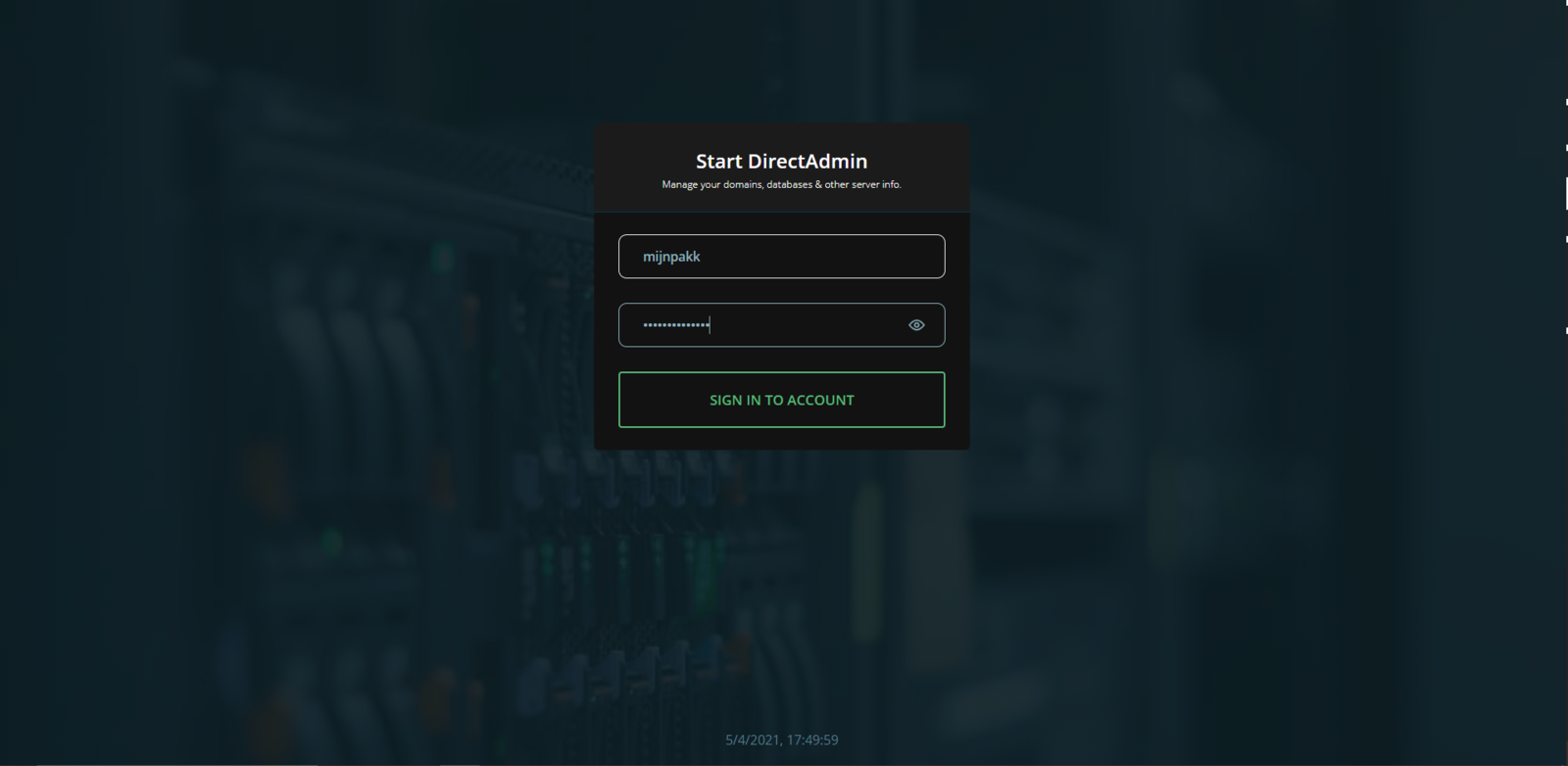
- Log in to the web hosting panel.
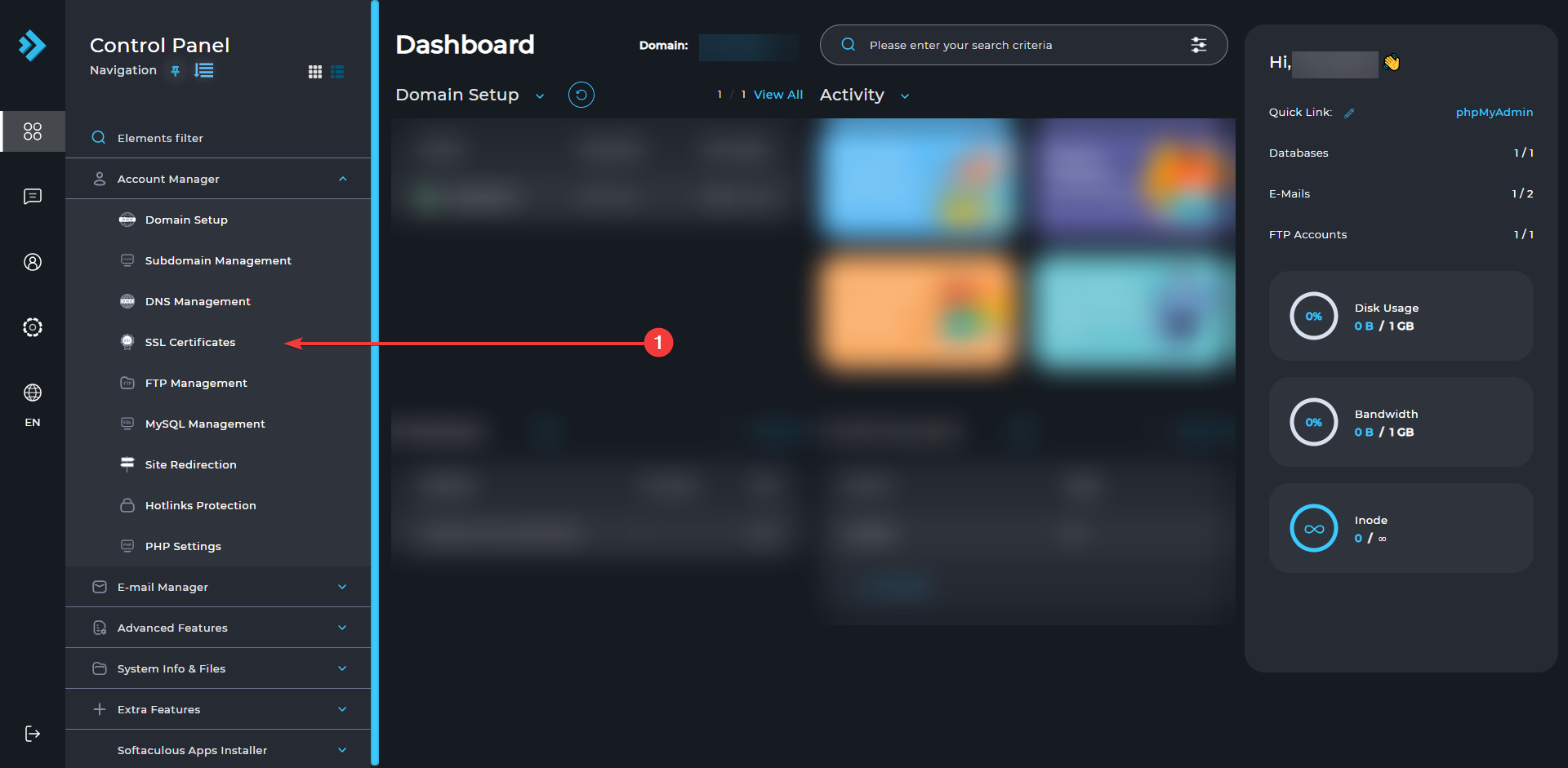
- Click "Account manager" and then "SSL Certificates"
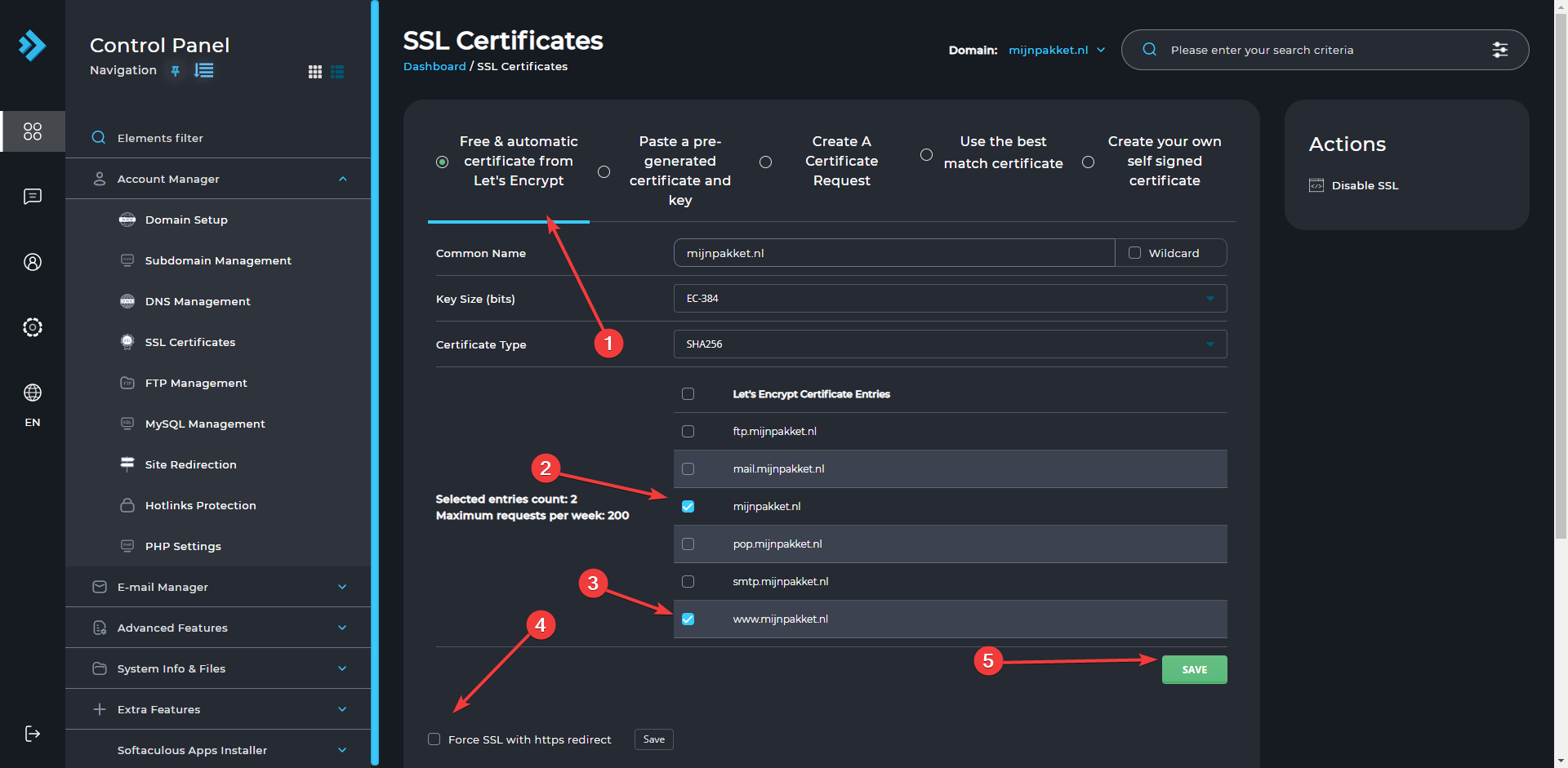
- Click "Free & automatic certificate from Let's Encrypt". Select the (sub)domains you want an SSL certificate for. Once you have done this, click "Force SSL with https redirect" and then click "save".
Ready to try it yourself?
View packages →Launch your server in 60 seconds on our own hardware.
Stuck? Our team is happy to help.Open a ticket →
More in this category
How do I access my webmail?Log in to the webhosting panel (DirectAdmin), hover over "Extra Features", click "Webmail: Roundcube" and sign in with yHow do I change my PHP version?Go to DirectAdmin and log in. Hover over the 4 dots, click "Account Manager" and go to "Domain Setup". Click your domainHow do I check my website's resource usage?Log in to your web hosting panel. There you can see the resource usage of your web hosting.How do I connect via SFTP?How do I connect via SFTP to my DirectAdmin web hosting?