How do I set up SMTP for my email?
For this you will need the following products:
- A web hosting plan
- A domain linked to the web hosting
- An email client, such as Outlook (for Windows)
In this tutorial we use michalk.nl as the domain. Don't forget to replace it with your own domain name.SMTP (Simple Mail Transfer Protocol) is an internet standard for sending email. The protocol defines how emails are transferred from the sender to the recipient via mail servers. SMTP allows a client (such as Outlook, Bluemail, Gmail, etc.) to connect to your personal web hosting to send emails.
Outlook (Windows)
- Create a new email account:
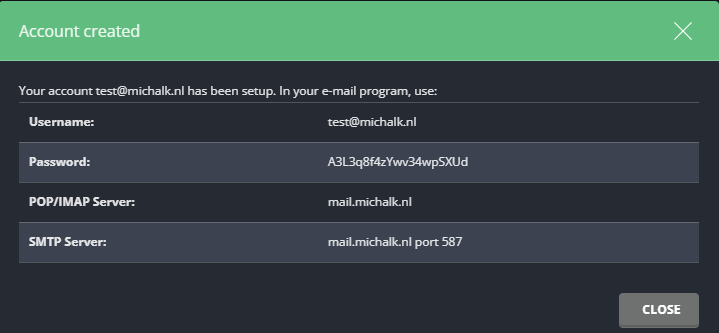
How do I create an additional email address?
- Open Outlook (Windows) and click the gear icon in the top right.
- Click "Add new account":

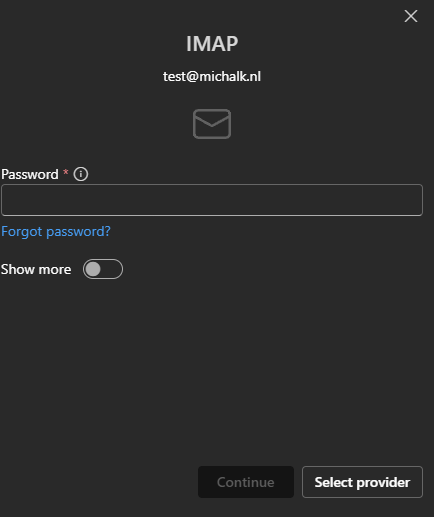
- Enter your email address and click "Continue."
- Click "Show more":
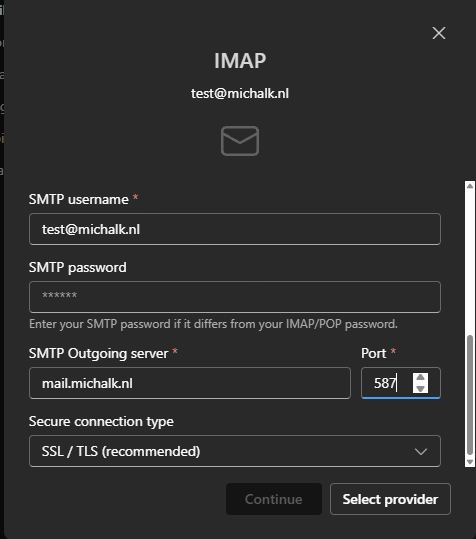
- Make sure the SMTP port is set to 587 (as shown below):
- Click "Continue."
Ready to try it yourself?
View packages →Launch your server in 60 seconds on our own hardware.
Stuck? Our team is happy to help.Open a ticket →
More in this category
How do I access my webmail?Log in to the webhosting panel (DirectAdmin), hover over "Extra Features", click "Webmail: Roundcube" and sign in with yHow do I change my PHP version?Go to DirectAdmin and log in. Hover over the 4 dots, click "Account Manager" and go to "Domain Setup". Click your domainHow do I check my website's resource usage?Log in to your web hosting panel. There you can see the resource usage of your web hosting.How do I connect via SFTP?How do I connect via SFTP to my DirectAdmin web hosting?