How do I upgrade my service to the Premium Minecraft server?
When upgrading the server, your data will be lost. We therefore recommend making a backup first!
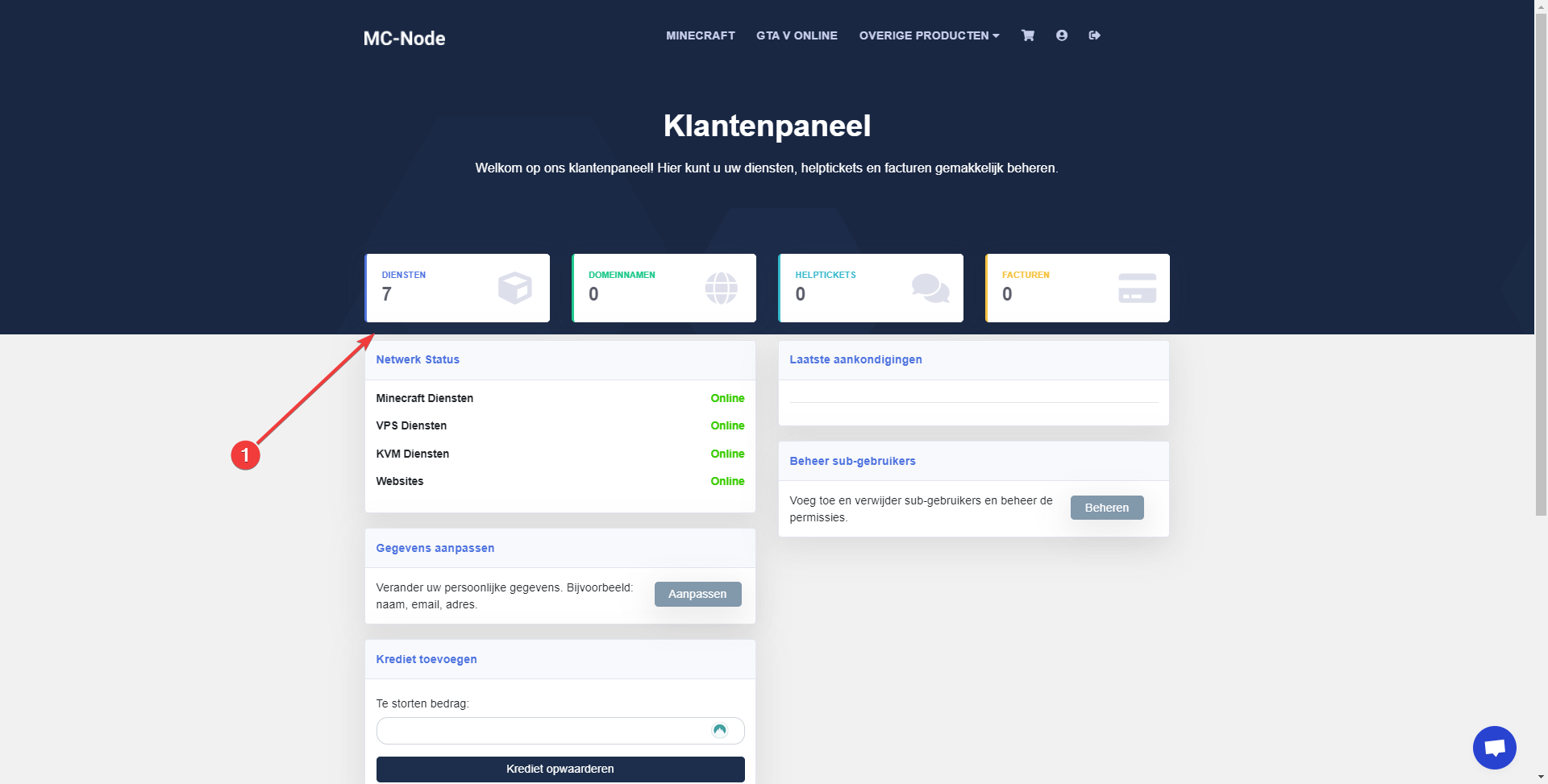
- Go to the website and click on My Services.
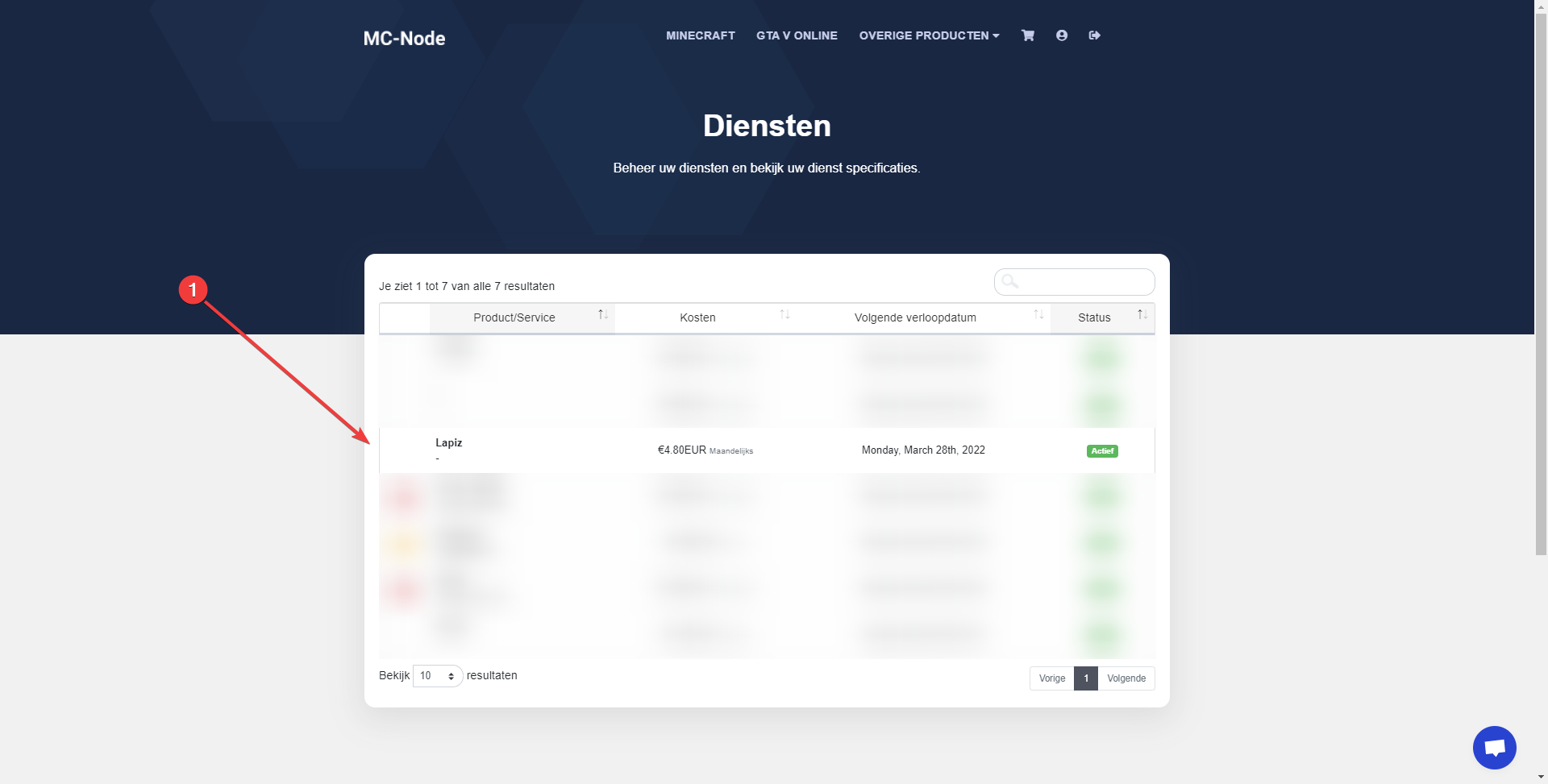
- Click on the service you want to cancel.
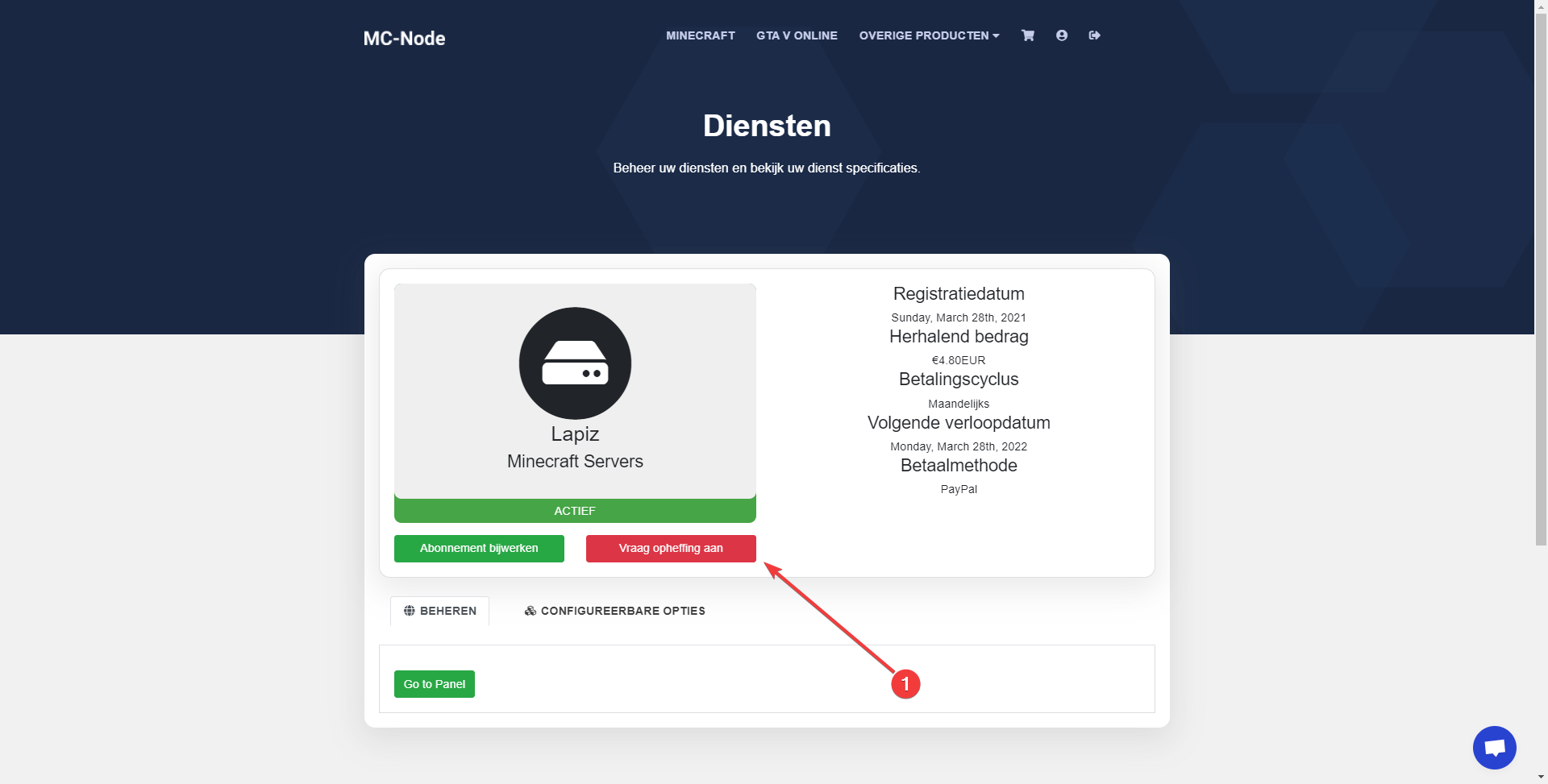
- Click on "Request Cancellation"
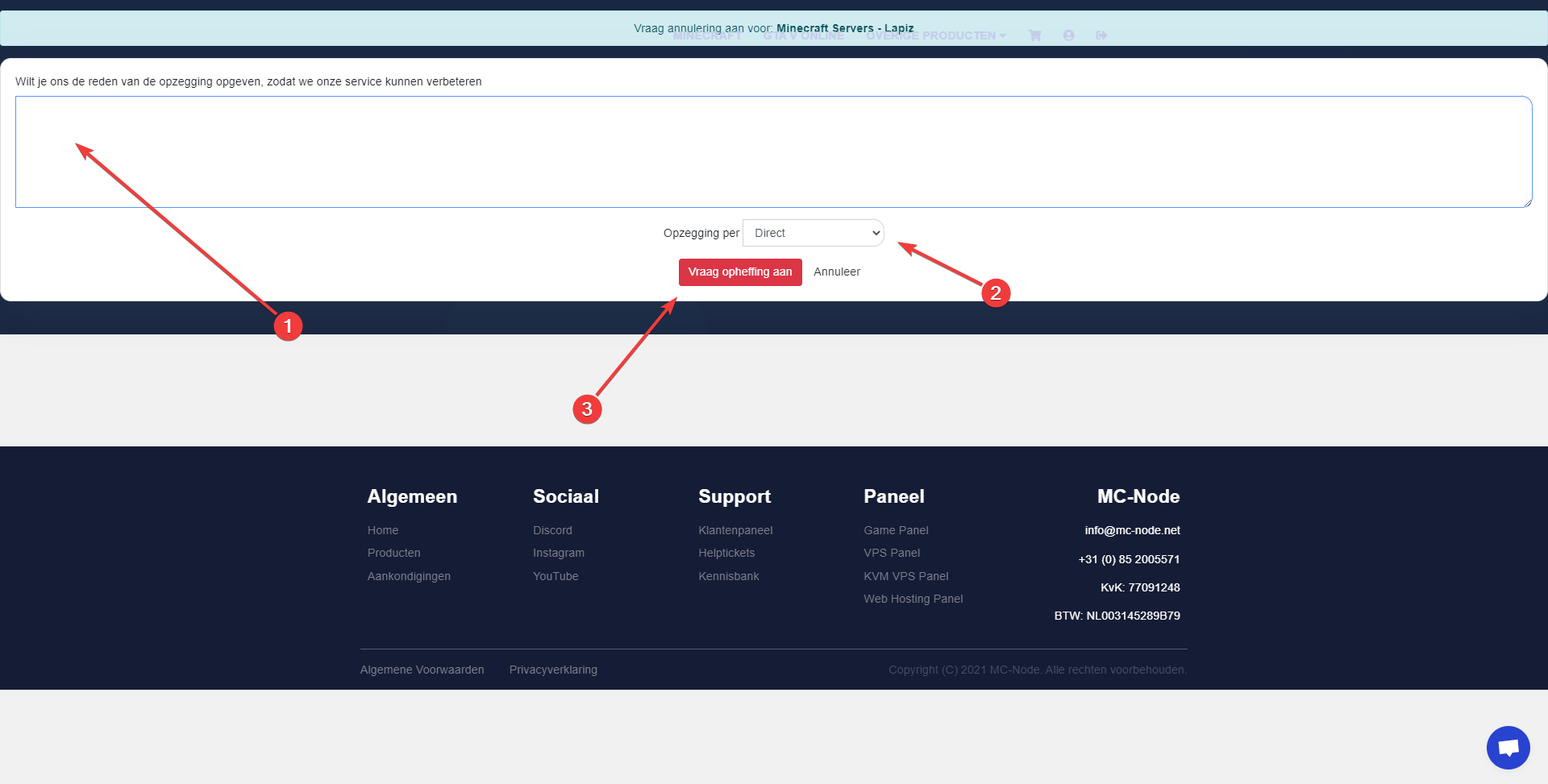
- Enter a reason and select an option at step 2, then click "Request Cancellation"
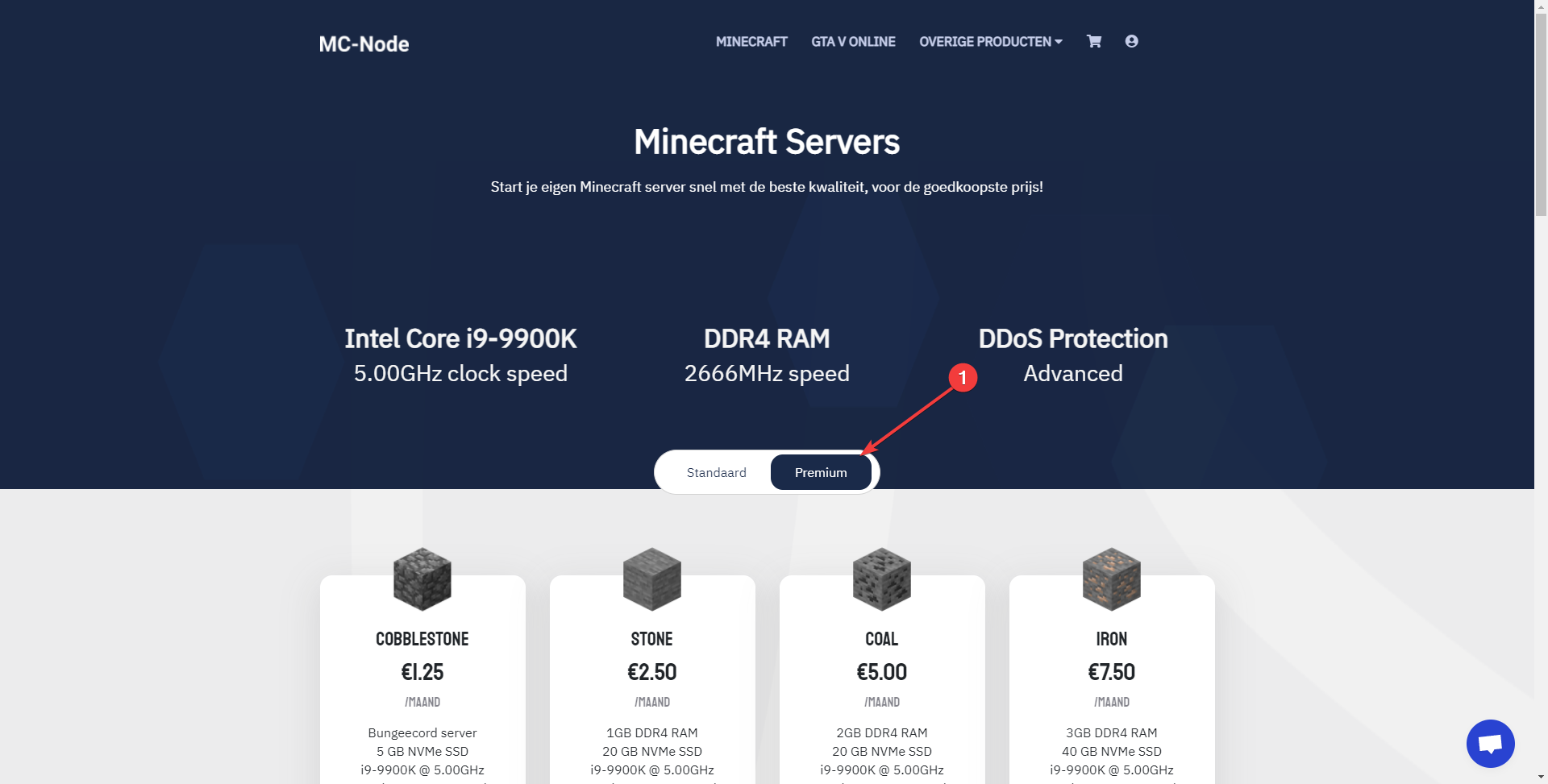
- Now purchase the new server at https://mc-node.net/store/minecraft , and choose the "Premium" option.
- Within a few seconds you will receive a confirmation email, and you can now play on your new server!
Stuck? Our team is happy to help.Open a ticket →
More in this category
How do I add credit to my account?Top up your account credit via the client area: enter an amount, click "Add Funds", and pay the invoice under "Invoices"How do I cancel my product?Learn how to cancel your service via the MC-Node client area: open your service, click Cancel, choose when it should endHow do I change my payment method?Go to the client panel. Click on "Invoices". Open your invoice. Change your payment method there.How do I pay an invoice?Pay your MC-Node invoice: go to the client area, click Invoices, open your invoice, choose a payment method and click pa