How do I change my server name in the server list?
- Log in to the Panel and click your server.
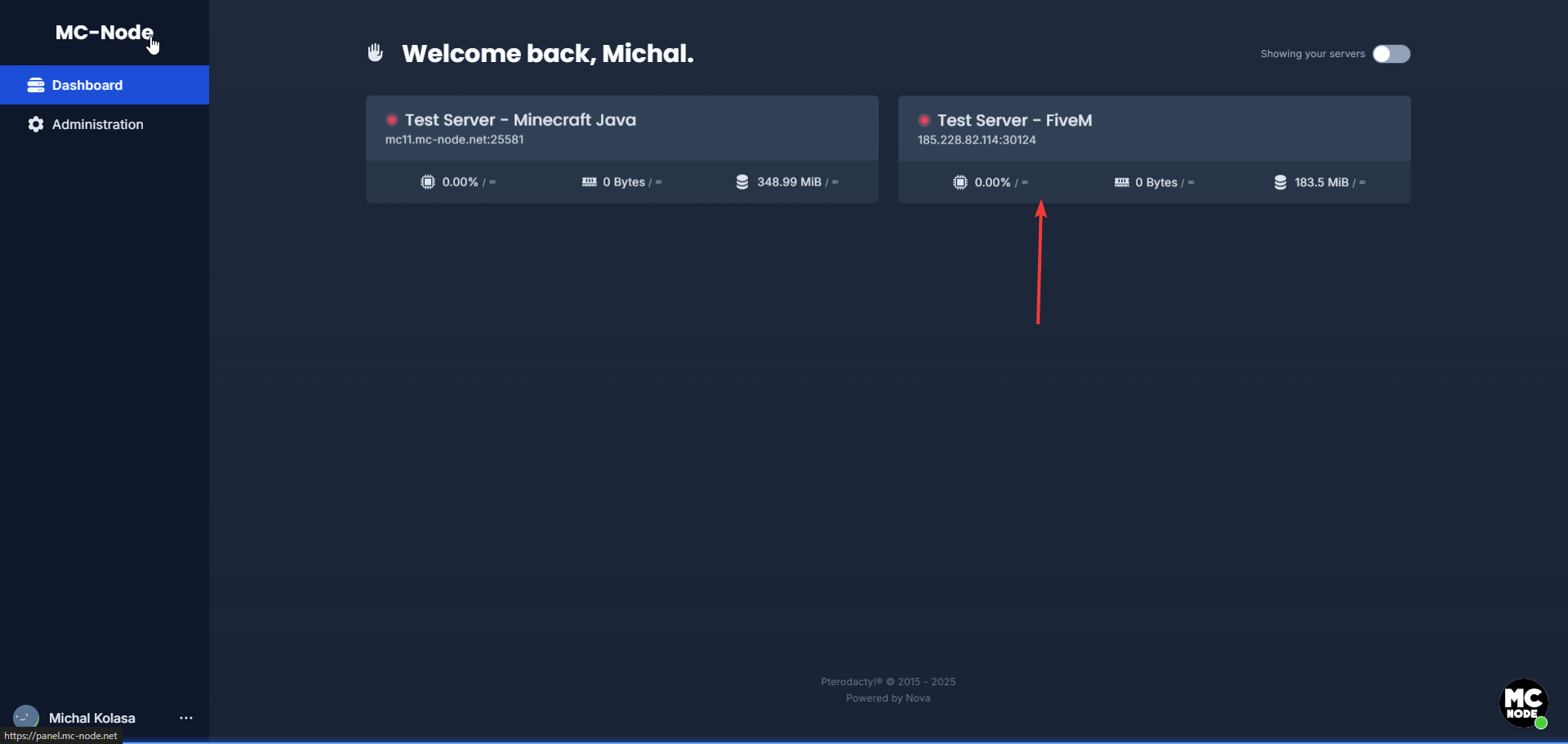
- Click the Settings tab
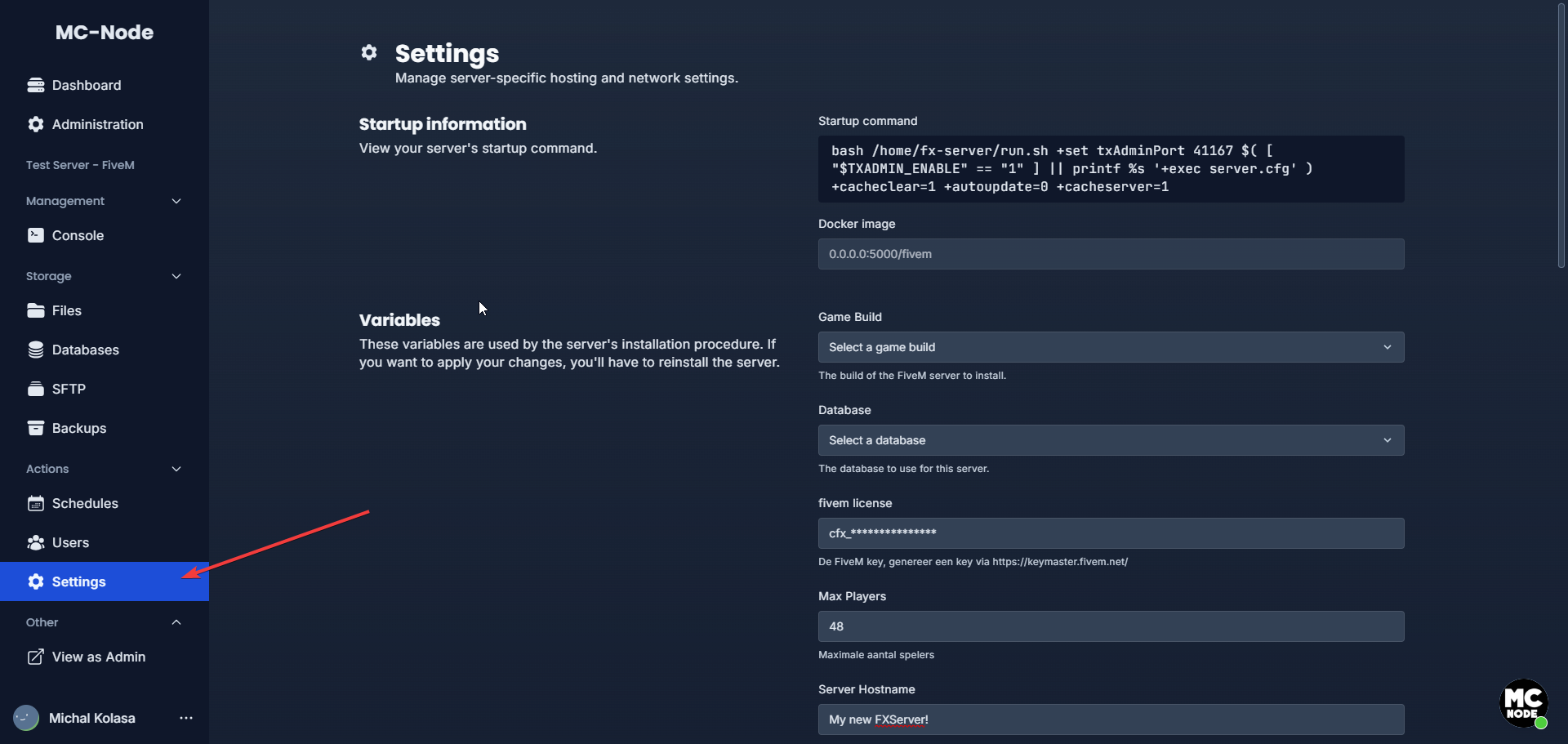
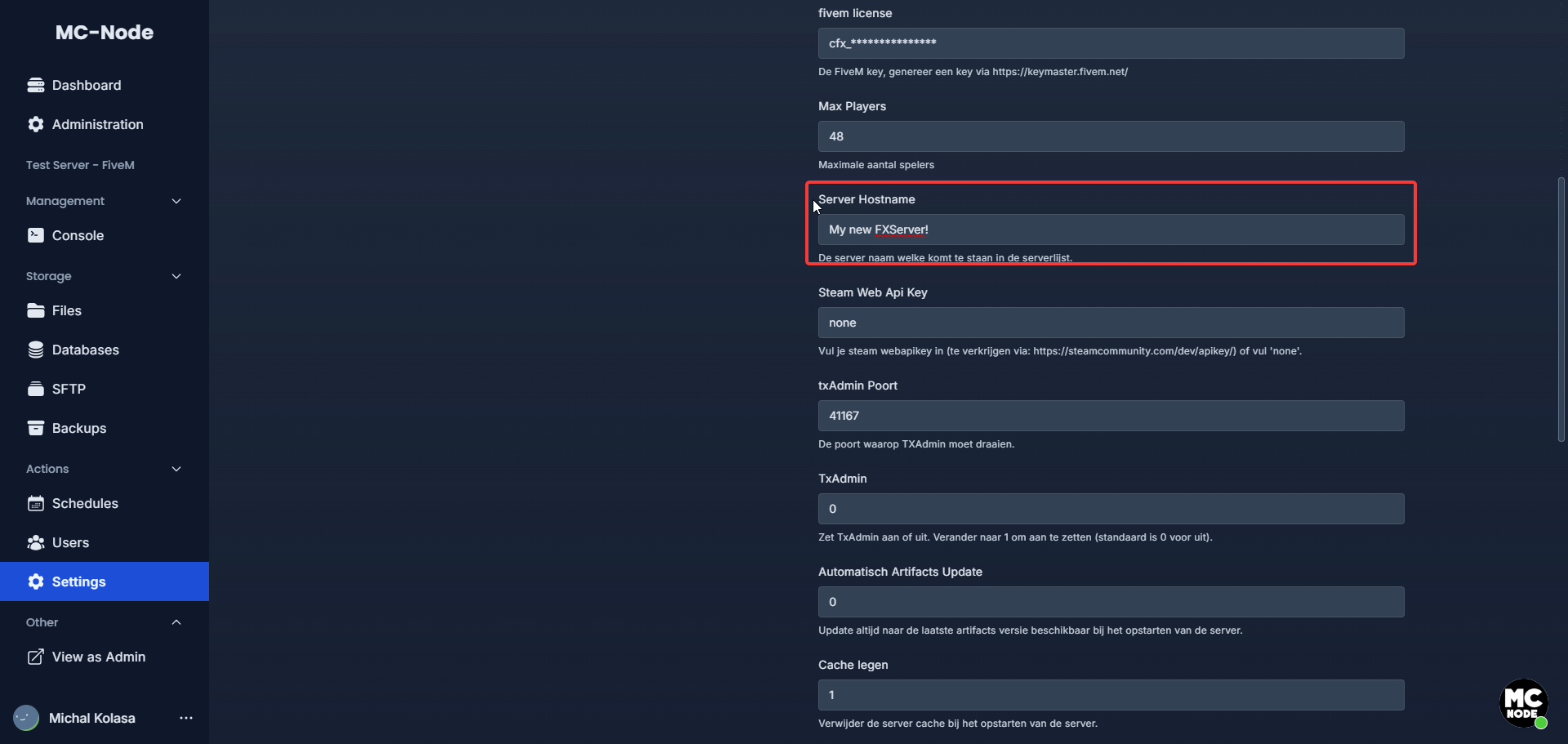
- Then go to SERVER HOSTNAME and choose a name there (if you have purchased a FiveM Patreon, you can also use colors in your server name).
Colors:
^0 is White (#F0F0F0)
^1 is Red (#F44336)
^2 is Green (#4CAF50)
^3 is Yellow (#FFEB3B)
^4 is Blue (#42A5F5)
^5 is Light Blue (#03A9F4)
^6 is Purple (#9C27B0)
^7 is White (#F0F0F0)
^8 is Orange (#FF5722)
^9 is Gray (#9E9E9E)
One of these three:
FiveM Element Club Argentum 💿
FiveM Element Club Aurum 📀
FiveM Element Club Platinum 🌟
Ready to try it yourself?
View packages →Launch your server in 60 seconds on our own hardware.
Stuck? Our team is happy to help.Open a ticket →
More in this category
ESX, QBCore or Qbox: which FiveM framework should you choose in 2026?ESX, QBCore or Qbox? Compare community, updates and script support, and see why Qbox is the best FiveM framework to chooFiveM and GTA V Enhanced: what changes for your server?Get your FiveM server ready for GTA V Enhanced: mandatory pure mode, only the latest game build and OneSync up to 120 HzHow do I add a logo to my FiveM server in the server list?Set a server logo for the FiveM server list: upload a 96x96 PNG, enable load_server_icon in server.cfg, restart and checHow do I add addon cars to my FiveM server?Learn how to add addon cars to your FiveM server: upload custom vehicles via SFTP, ensure them in server.cfg and sell th