How do I manually install a modpack?
In this tutorial we explain what a modpack is and how to install one! Enjoy! :)
What is a modpack?
A Minecraft modpack is a collection of mods that improves or changes the gameplay of Minecraft. It contains new items, weapons, blocks, enemies and other features that are not available in the standard version of the game. You can find many modpacks on larger forums and sites, but you can also create one yourself! Modpacks offer new challenges and creative possibilities that enhance the Minecraft experience.
How much RAM do I need for my modpack server?
This depends on multiple factors, such as the number of mods, the version, how heavy the mods are, etc.
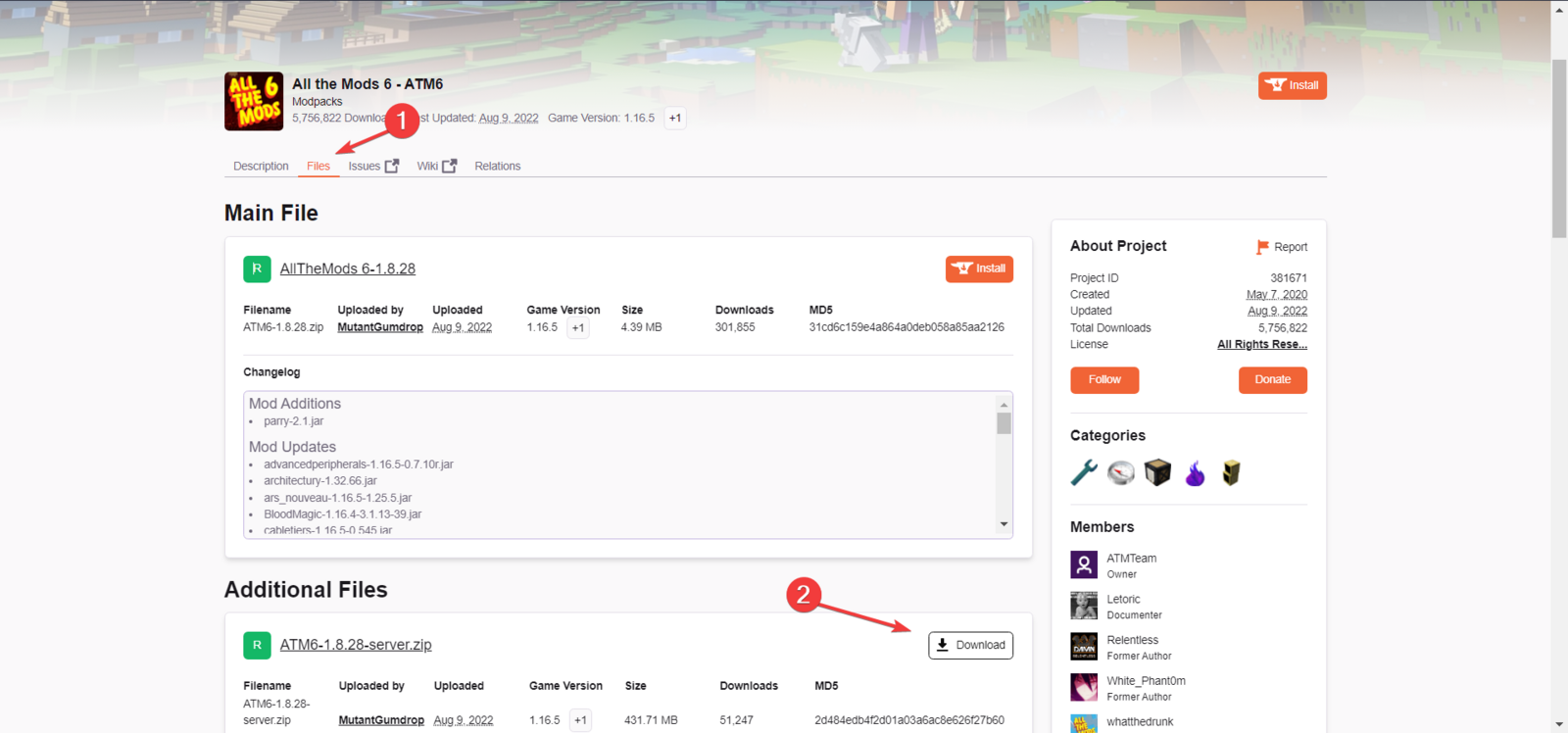
In this example I'll show you how I install All the Mods 6. In theory, every modpack installation works this way.- Go to the CurseForge website and download the desired modpack.
 ]
]
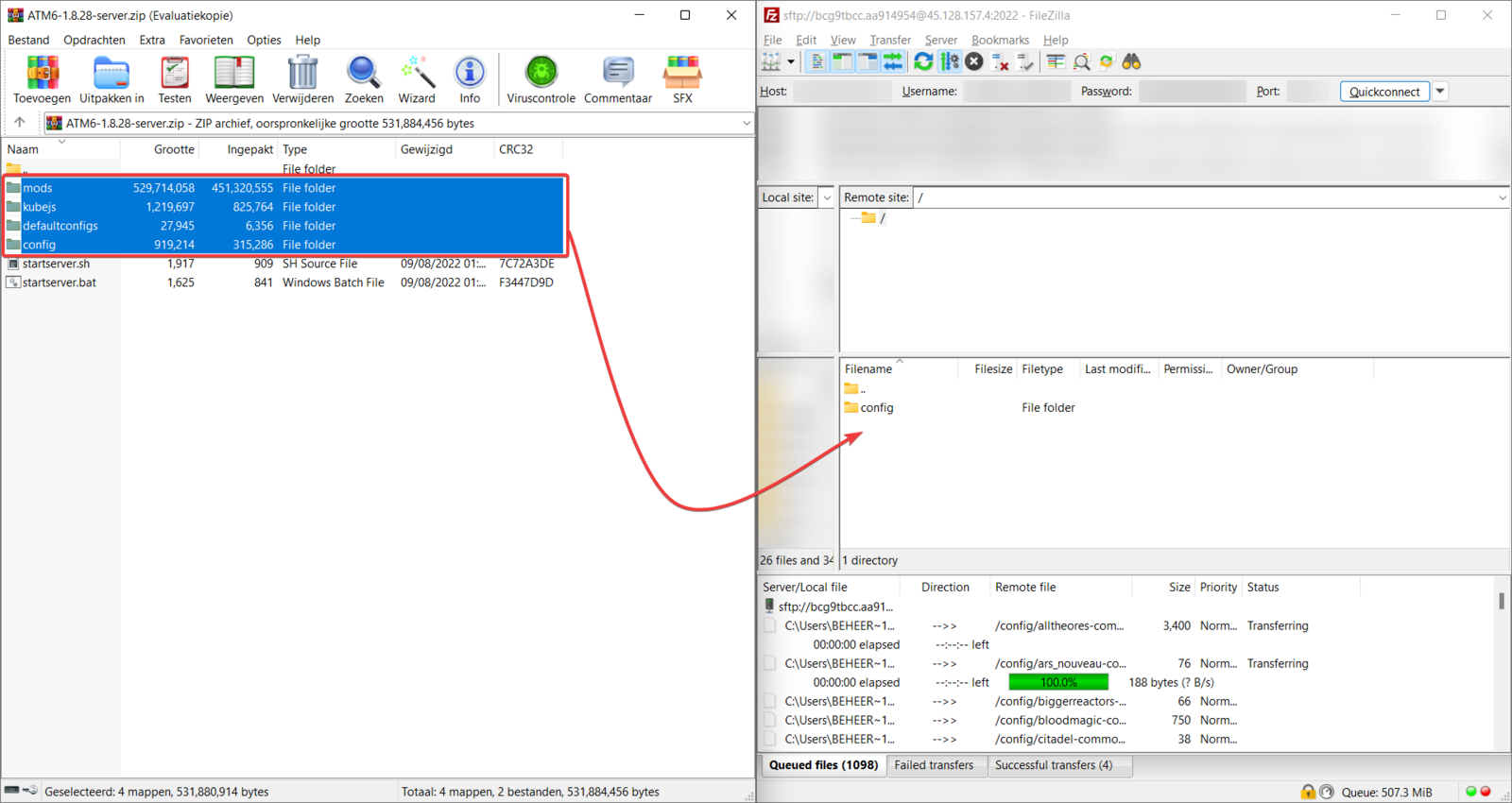
- Upload the files to your server via SFTP. Only upload the folders; we will install Forge later!
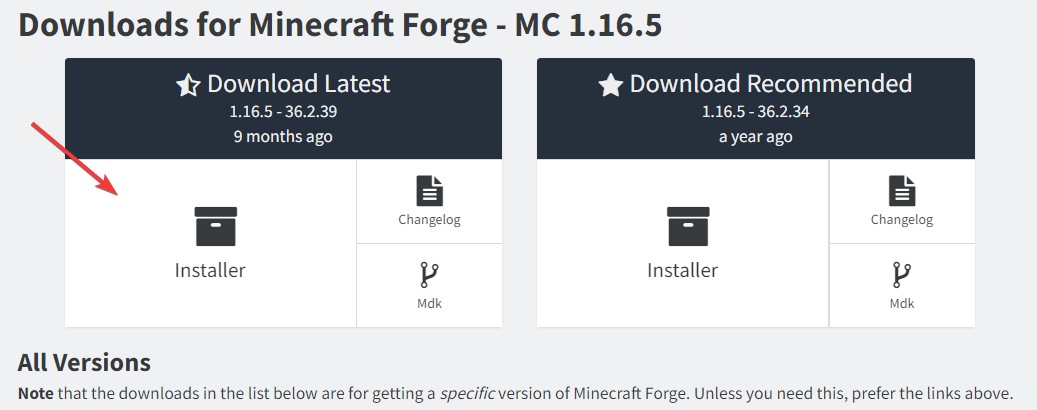
- Now go to the Forge website and download the Forge version for your modpack. In this case 1.16.5.
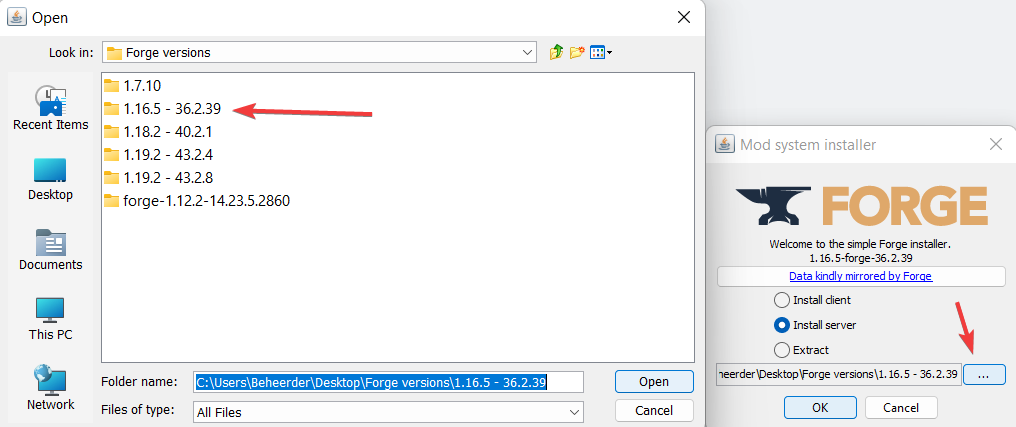
- Once downloaded, open the file. You will get the options 'Install client', 'Install server' or 'extract'. We choose 'Install server'. Click the 3 dots and create a new folder. You can name the folder anything you like, then click 'Open'.
- Forge will now install; this may take a while.
- Now upload these files via SFTP as well.
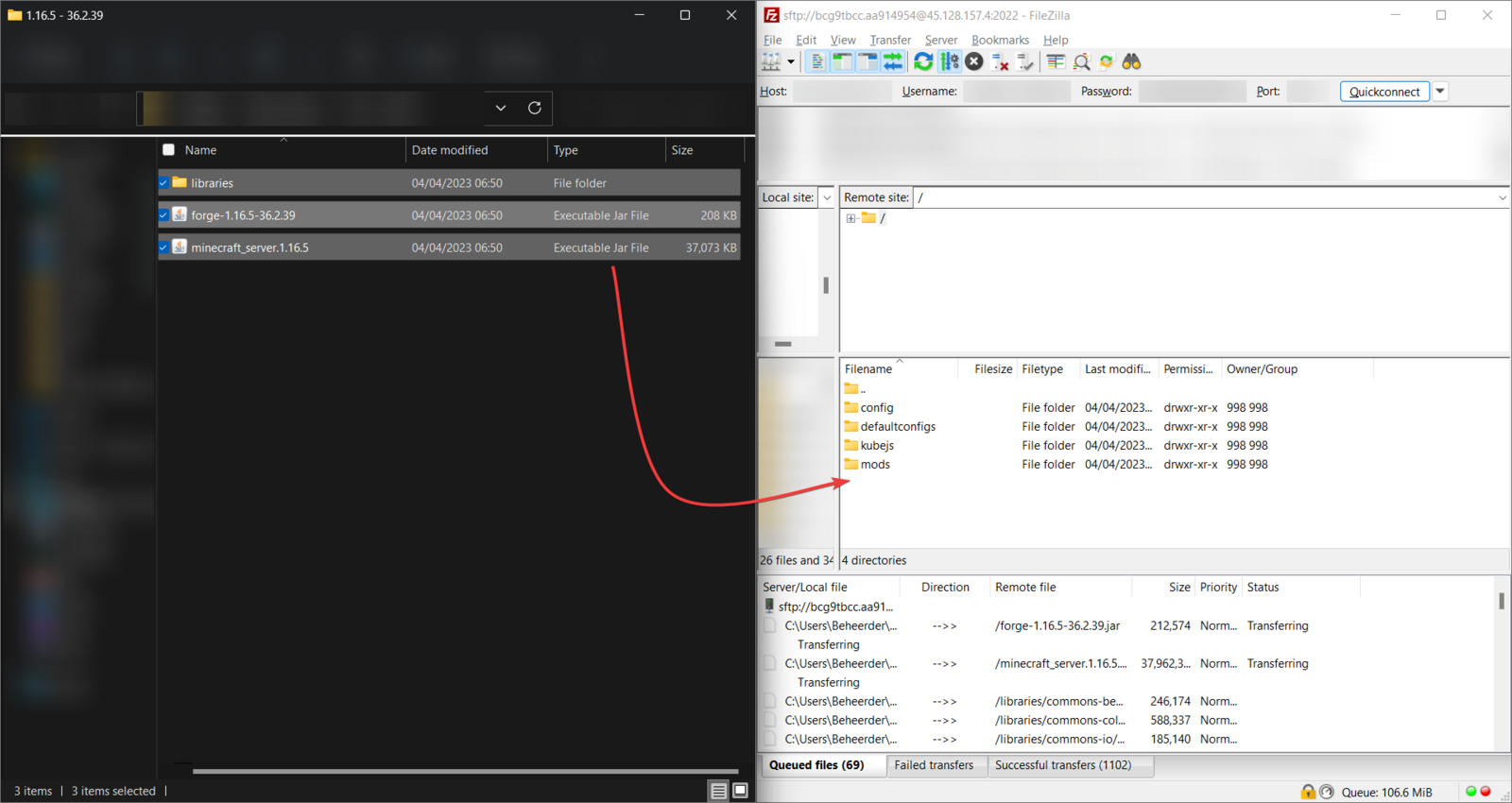
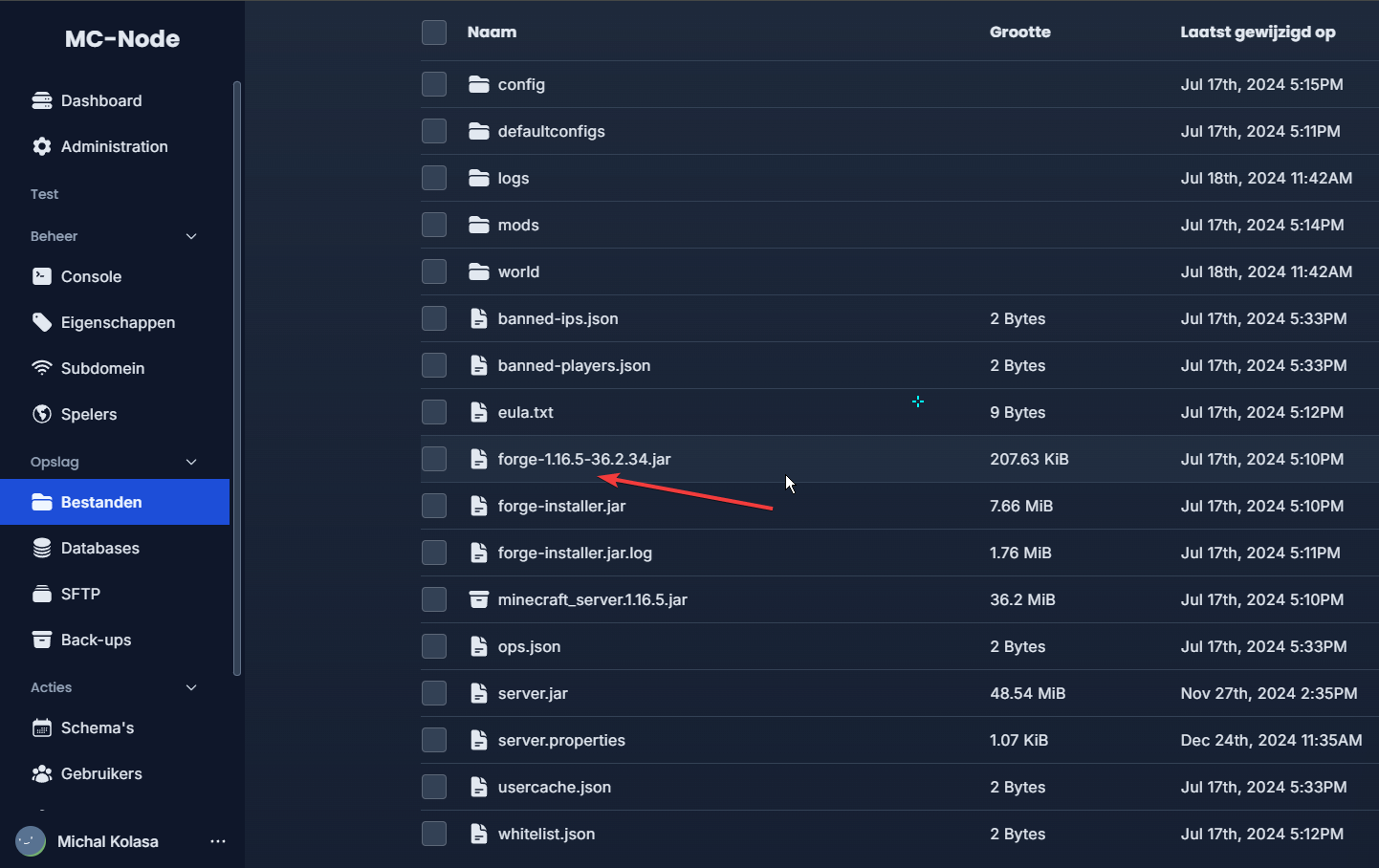
- Now rename the file from forge-xx-xx.jar to server.jar. Then start the server!
- The server should now be up and running!
Ready to try it yourself?
View packages →Launch your server in 60 seconds on our own hardware.
Stuck? Our team is happy to help.Open a ticket →
More in this category
Can I transfer my current server to MC-Node?Yes, you can transfer your current server to MC-Node. Download your server from your current host and upload it to us viHow do I add a resource pack to my server?Add a resource pack to your Minecraft server: upload it to Dropbox, copy the share link, and set it in the resource-packHow do I add a server icon to my Minecraft server?Add a server icon: upload a 64x64 PNG named server-icon.png to the server's root folder, restart and check the list. PluHow do I add a subdomain?Go to the game panel, open your server and click "Subdomain". Click "Create subdomain", enter a name, pick a domain and