How do I set up a Minecraft play domain?
- Go to the game panel and click on your server.
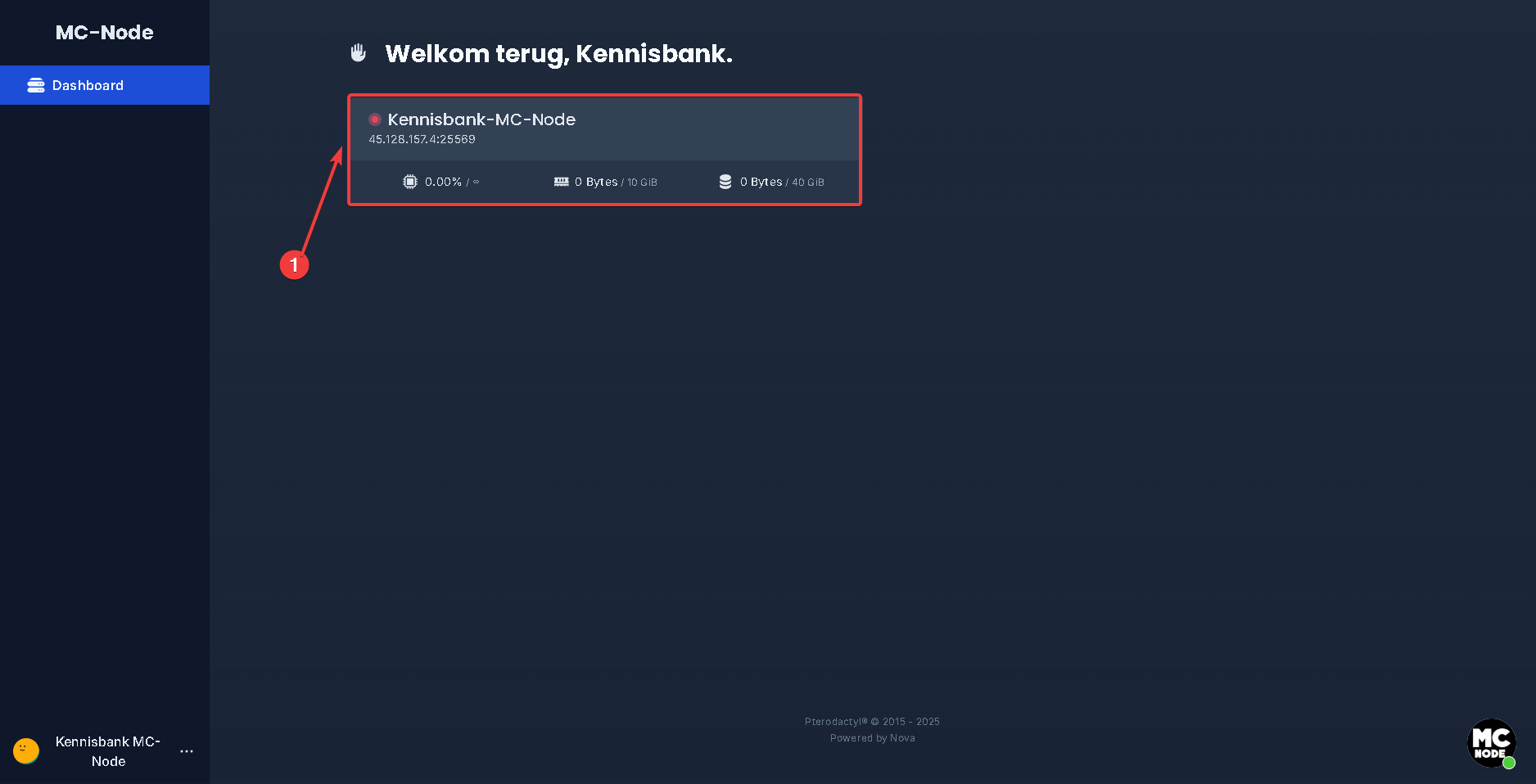
- Copy the numeric "IP address".
- Go to the client area.
- Click on domain names.
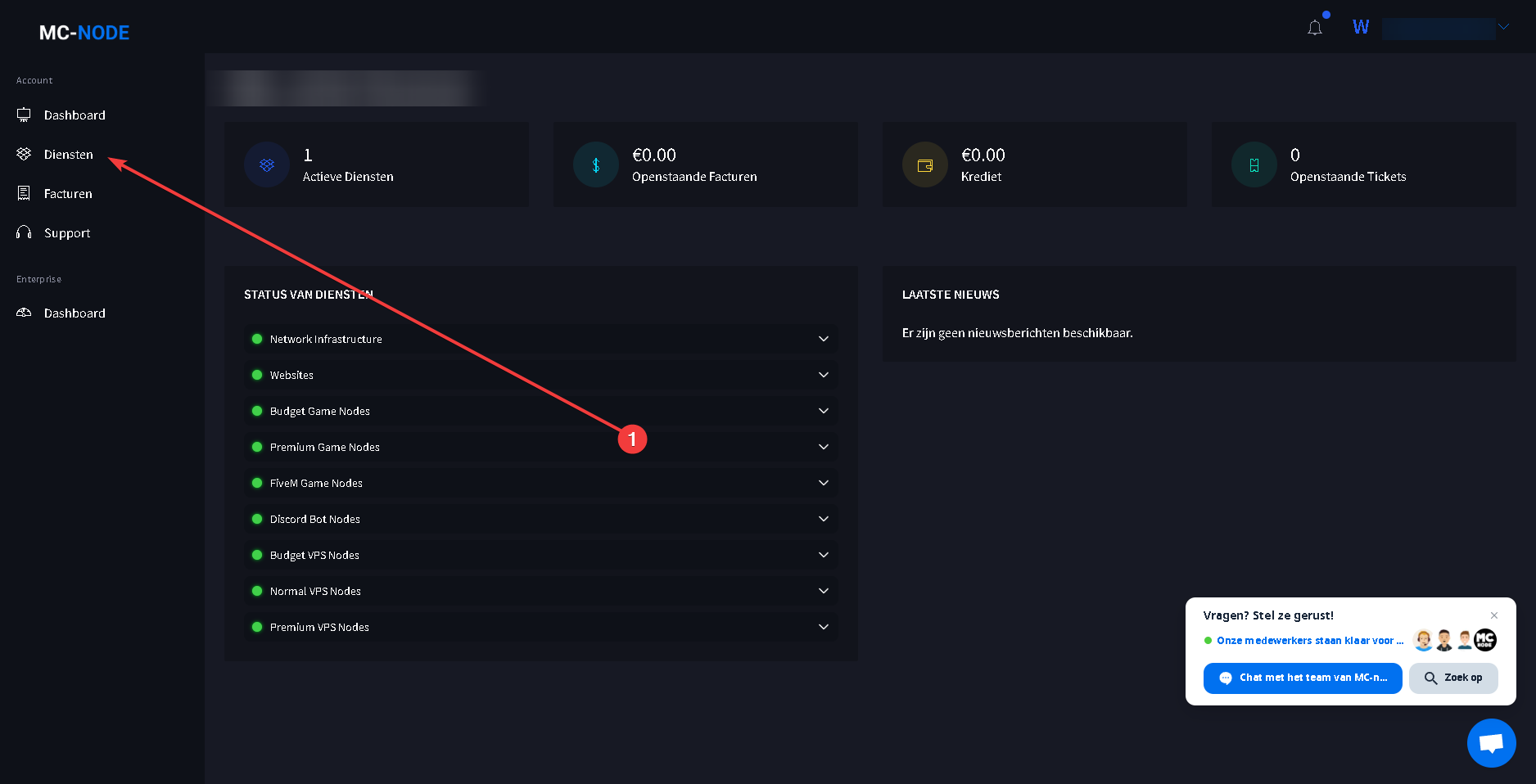
- Then click on the "Domain name" you want to create a play domain for.
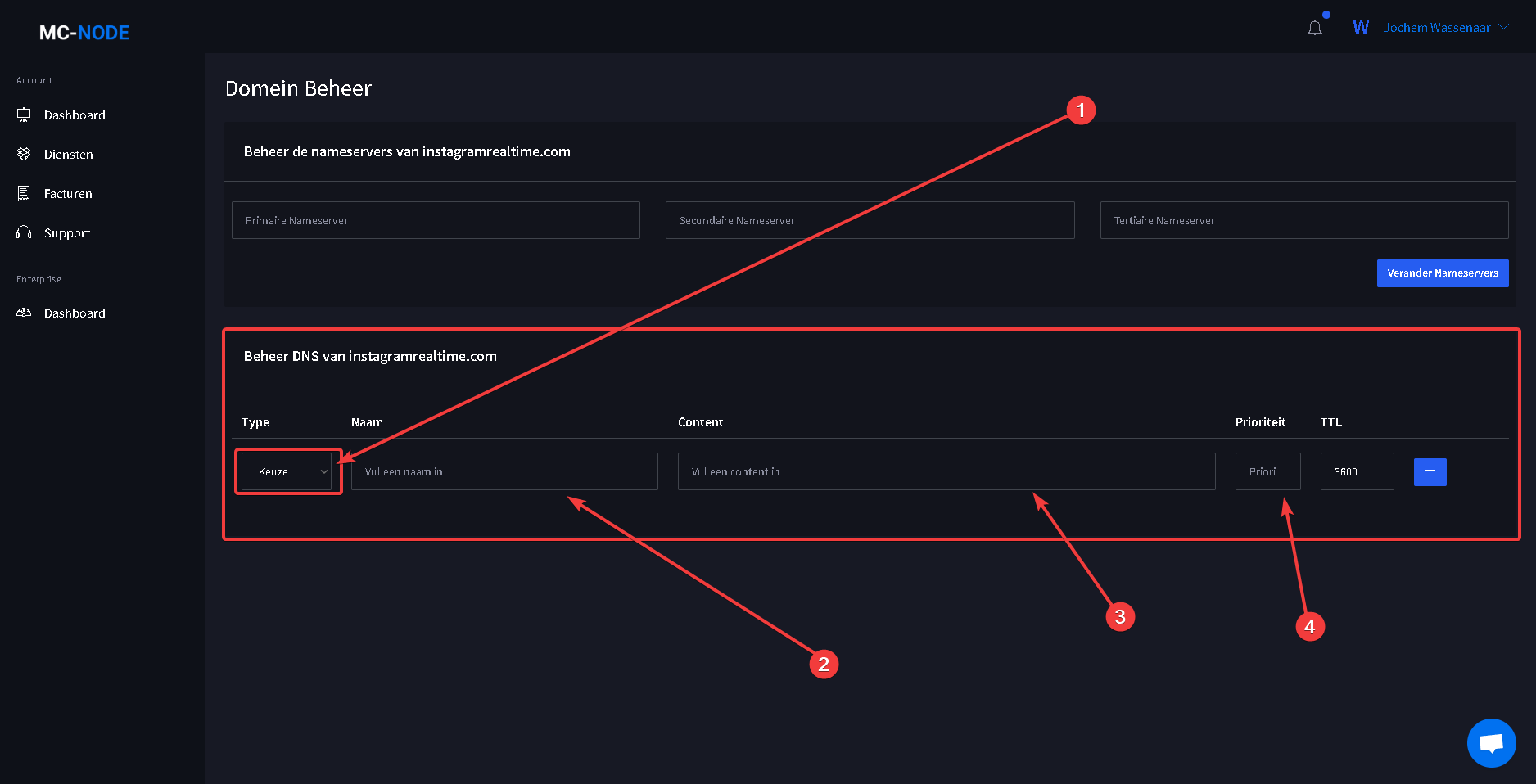
- At number 1, enter this as the "Hostname": "_minecraft._tcp.play". Number 2: once you have done this, select "SRV" as the Record type. Number 3: then enter "5 25565 play.voorbeelddomein.nl." in the Address field. By default it shows 25565 as the port — you need to change this to the port shown on the game panel. You can find this under "Server Information" IP: the part after the colon is your port. Then replace the domain name play.voorbeelddomein.nl with your own domain name. Don't forget to put play. in front of it, otherwise it won't work! Then click on "Save Changes"
Ready to try it yourself?
View packages →Launch your server in 60 seconds on our own hardware.
Stuck? Our team is happy to help.Open a ticket →
More in this category
Can I transfer my current server to MC-Node?Yes, you can transfer your current server to MC-Node. Download your server from your current host and upload it to us viHow do I add a resource pack to my server?Add a resource pack to your Minecraft server: upload it to Dropbox, copy the share link, and set it in the resource-packHow do I add a server icon to my Minecraft server?Add a server icon: upload a 64x64 PNG named server-icon.png to the server's root folder, restart and check the list. PluHow do I add a subdomain?Go to the game panel, open your server and click "Subdomain". Click "Create subdomain", enter a name, pick a domain and