How do I use SFTP?
In this article
What is SFTP?
SFTP stands for Secure file transfer protocol. It allows you to securely upload files to a remote location. More information can be found on wikipedia
Getting your SFTP credentials from our game panel
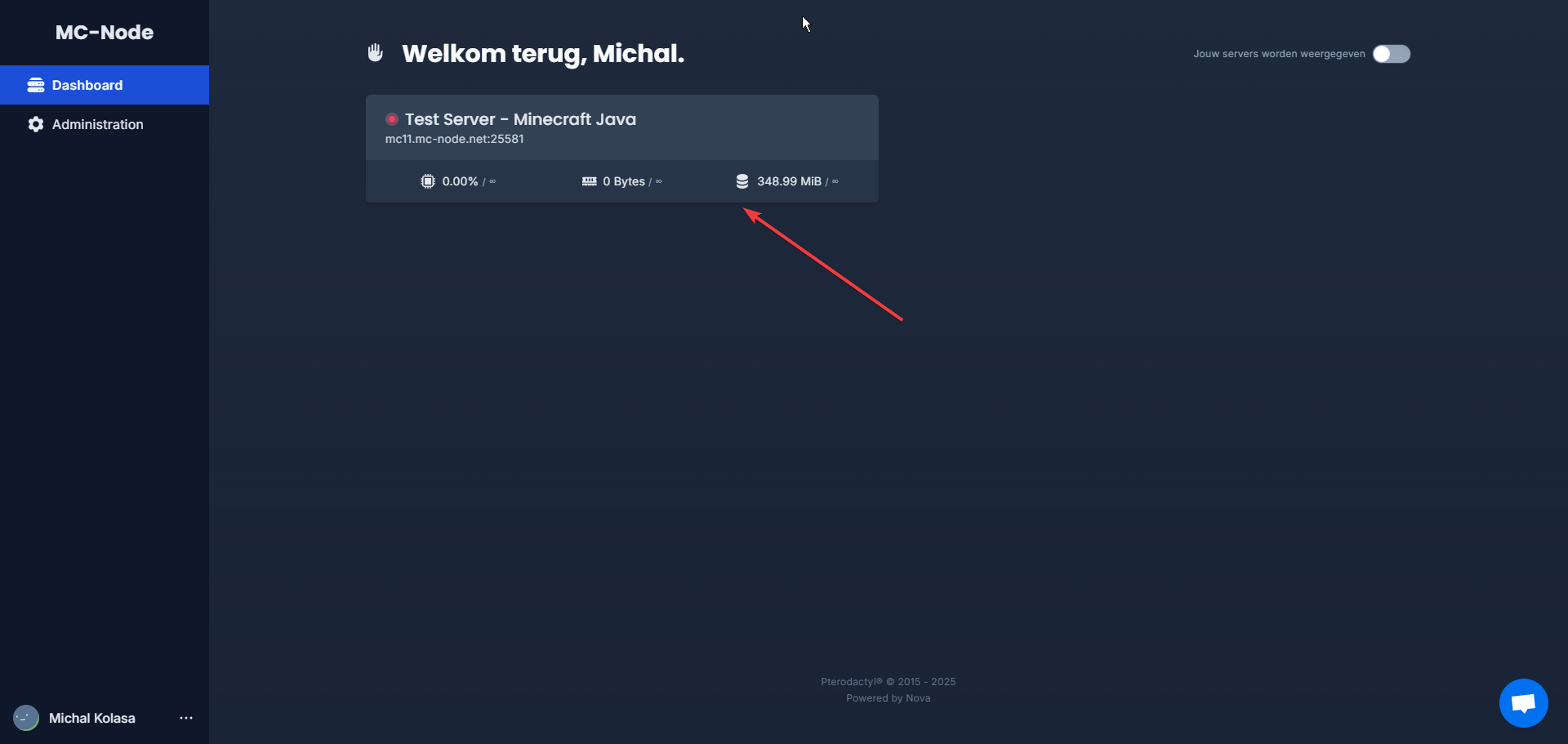
- Open the game panel and click on your server.
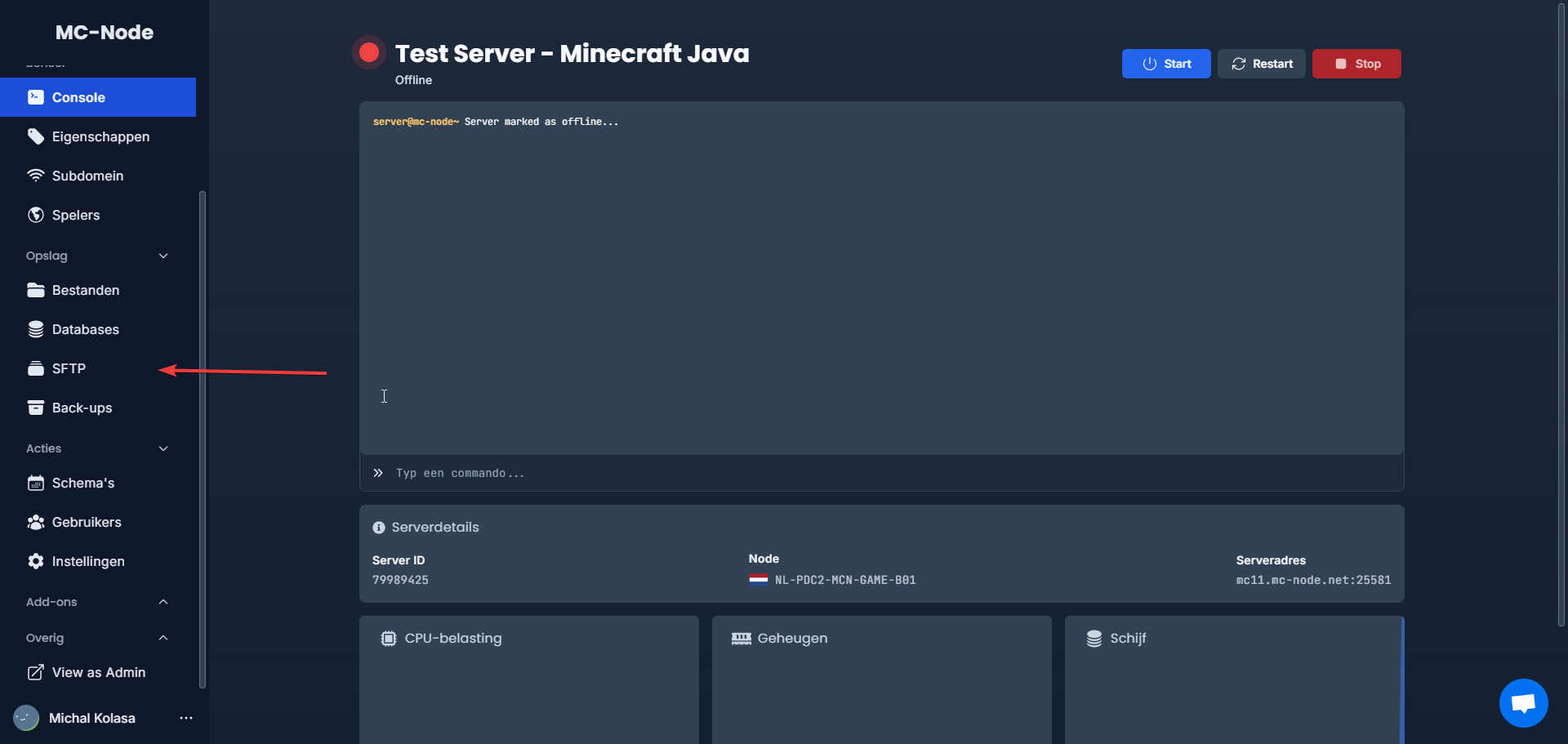
- Go to the SFTP tab.
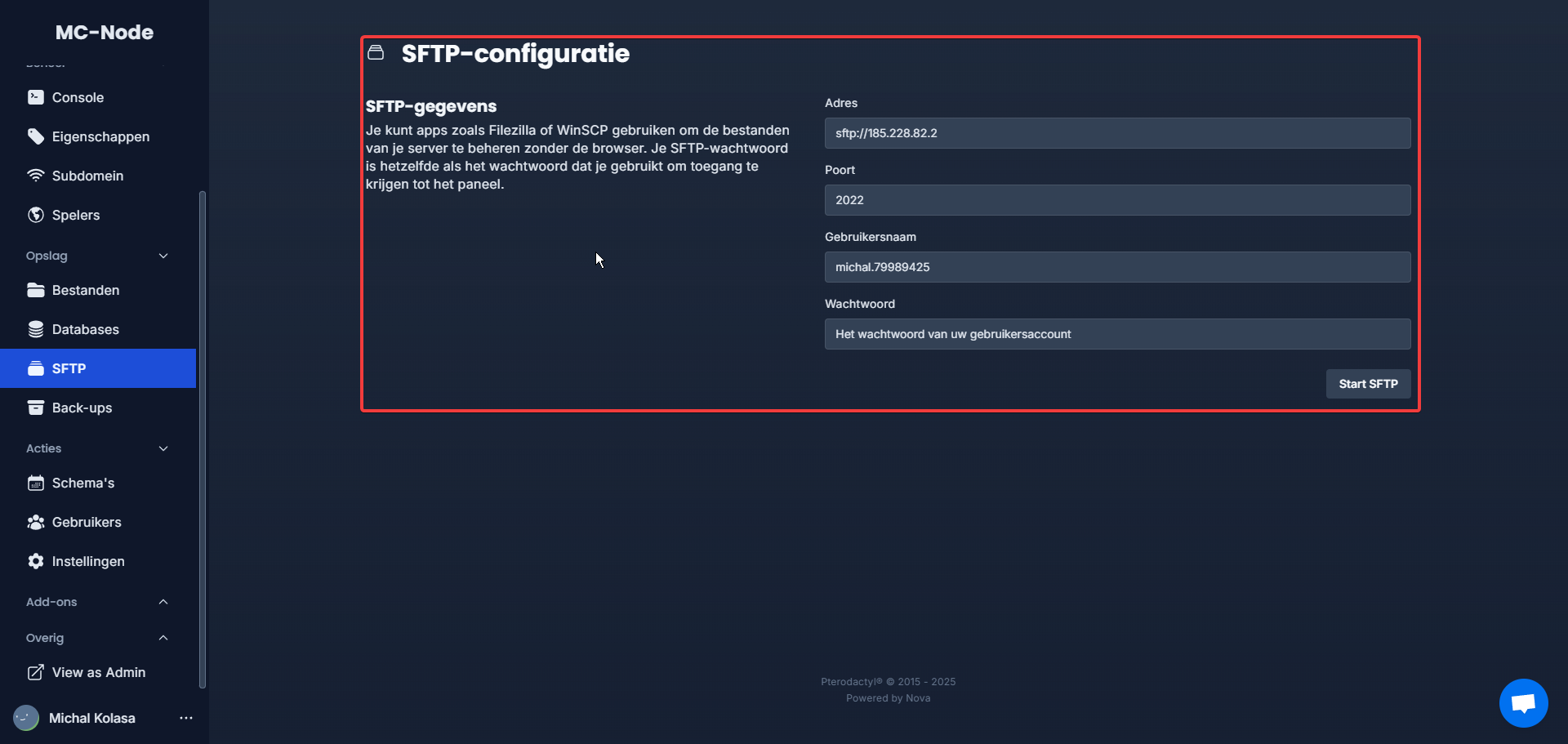
- Your SFTP credentials will then be shown as follows.
How can I use SFTP to upload files?
For this tutorial we will connect to a Minecraft server.
The first important choice is which SFTP client you want to use.
An SFTP client is a program you can use on your computer to upload files via the SFTP protocol.- Winscp
- Filezilla
Uploading with WinSCP
For this you need to have WinSCP downloaded already. Download here.- Open WinSCP; the login screen should appear.
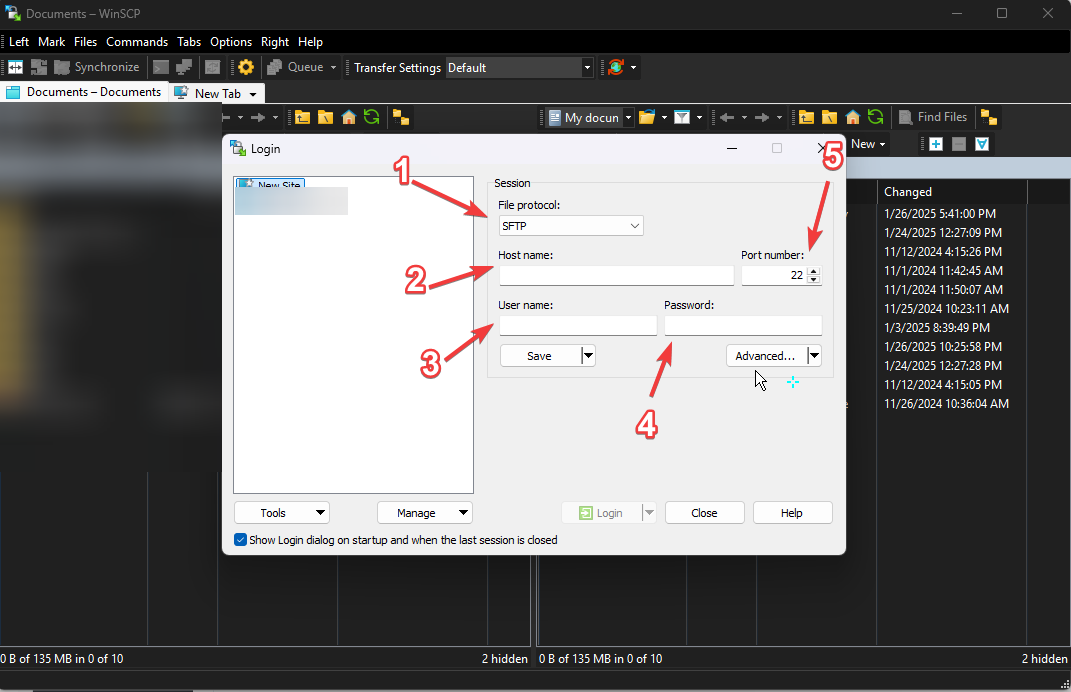
- Enter the login credentials you received from the game panel. See login details
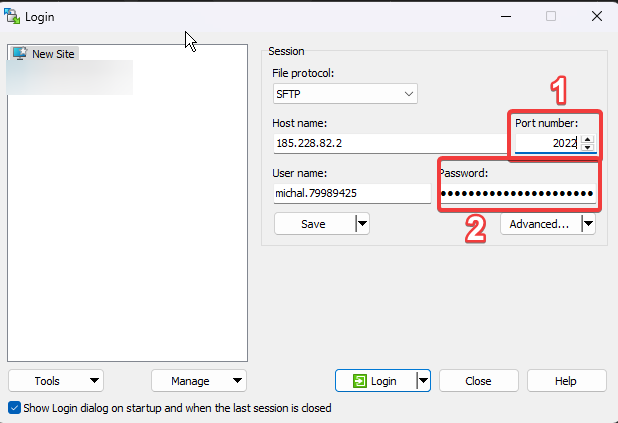
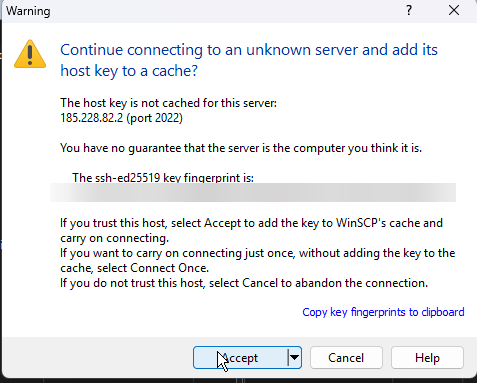
- If you get a message about an unknown server (see screenshot), you can safely click Connect; this message indicates you have never connected to our SFTP before.
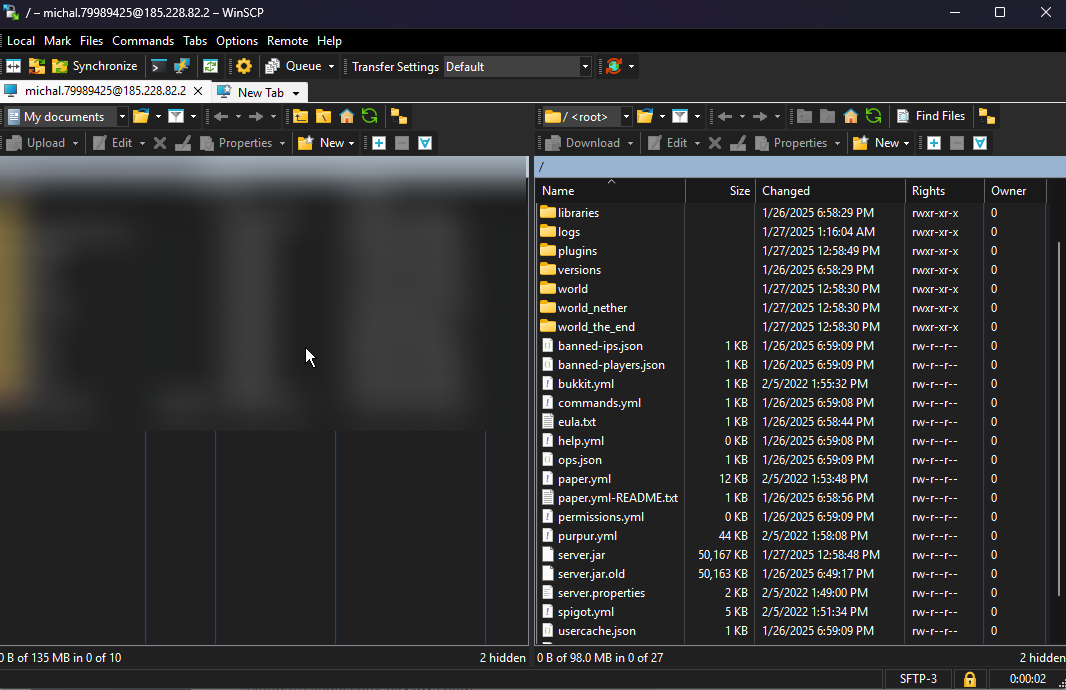
- You are now in the server, and you can move files from your PC (LEFT | blurred for privacy in the screenshot) to your server. (RIGHT)
Uploading with Filezilla
For this you need to have Filezilla downloaded already. Download here.- Open Filezilla; the login screen should appear.
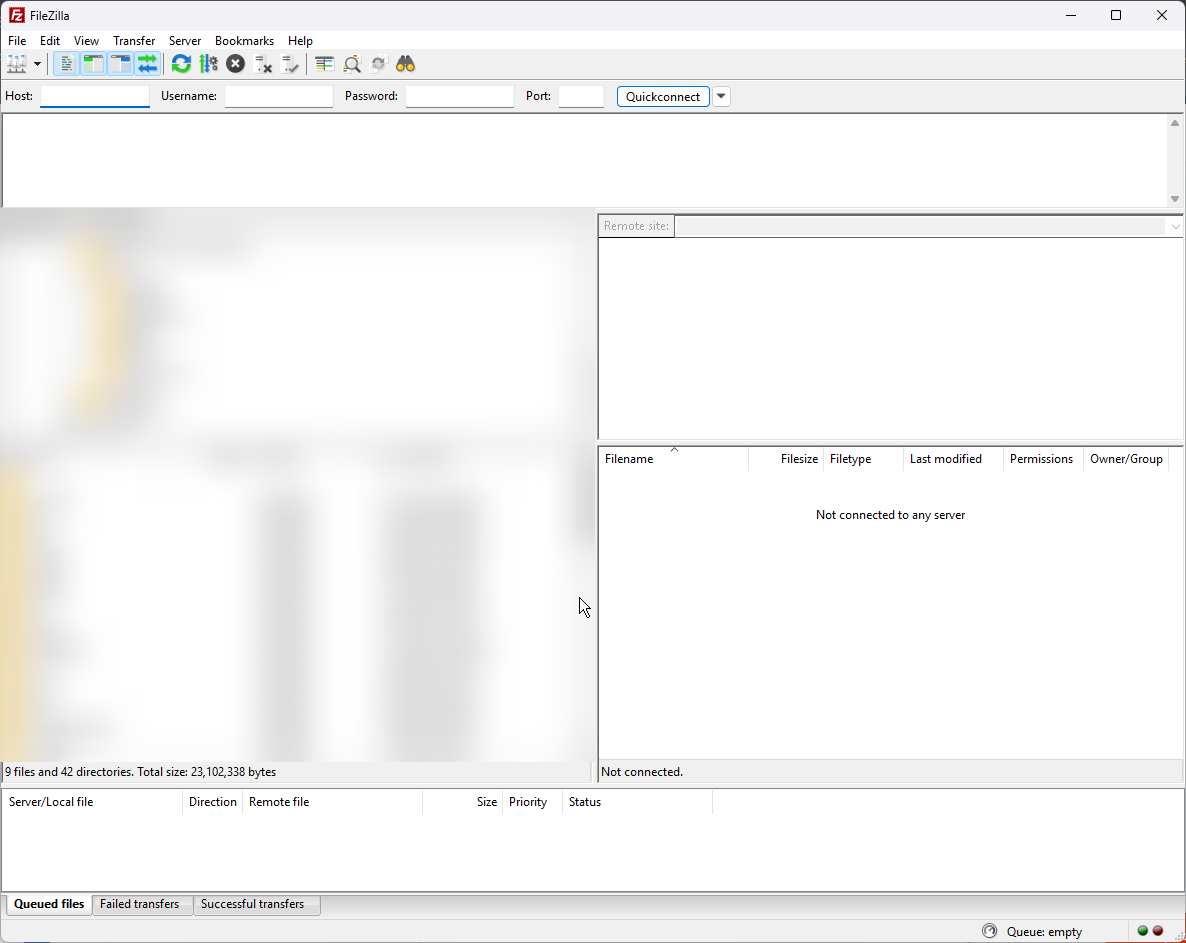
- Enter the login credentials you received from the game panel. See login details
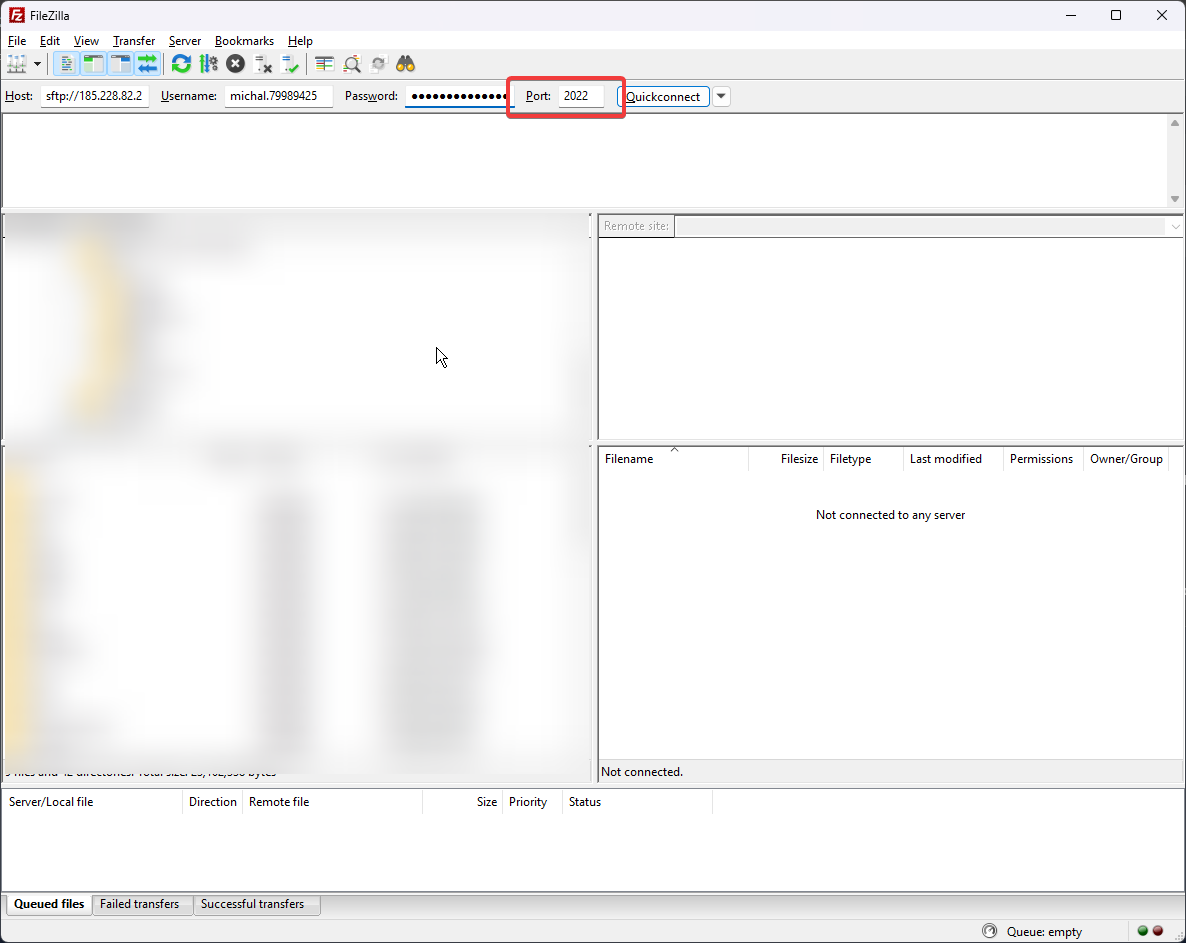
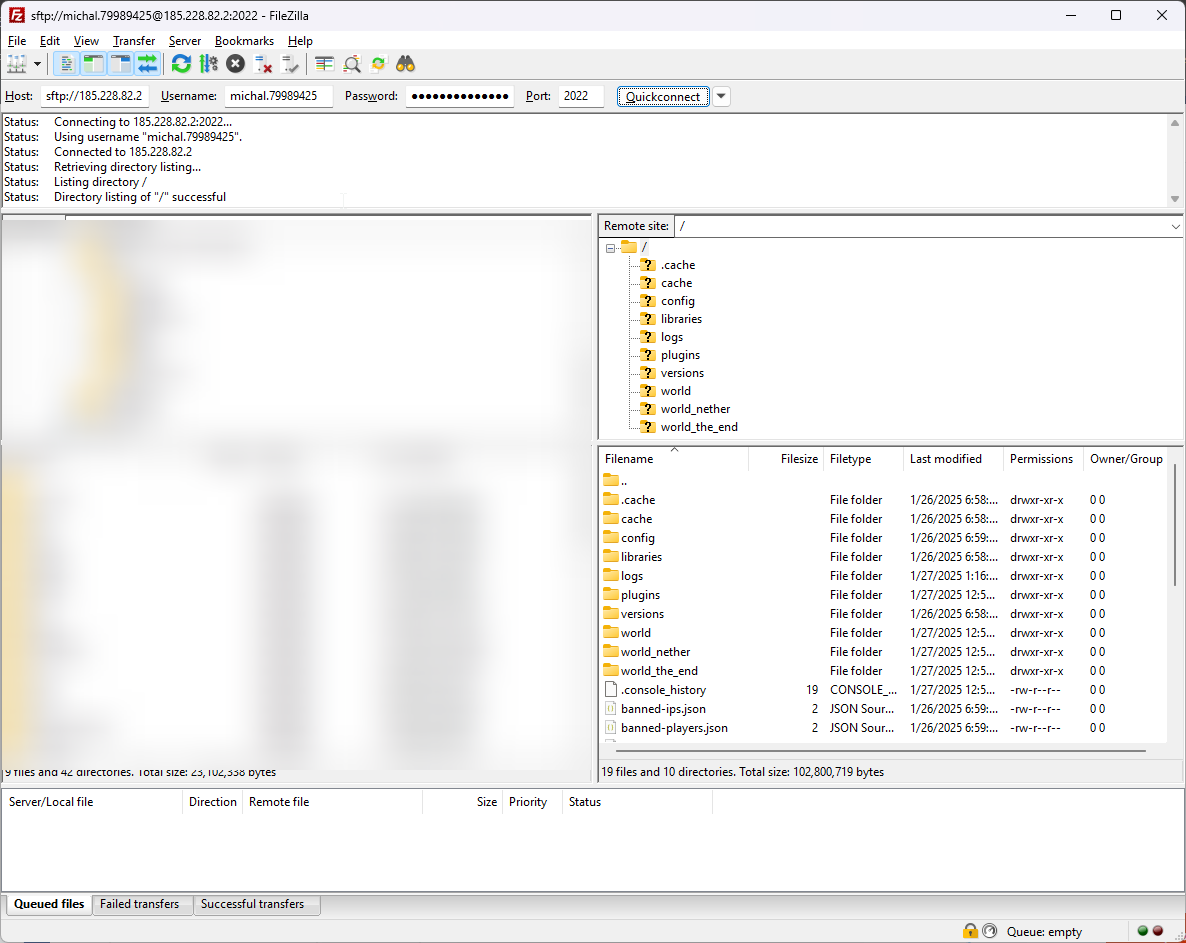
- Then click Quickconnect and you will connect to the server via SFTP. You can now drag files from the left (YOUR PC) to the right (YOUR SERVER).
Ready to try it yourself?
View packages →Launch your server in 60 seconds on our own hardware.
Stuck? Our team is happy to help.Open a ticket →
More in this category
Can I transfer my current server to MC-Node?Yes, you can transfer your current server to MC-Node. Download your server from your current host and upload it to us viHow do I add a resource pack to my server?Add a resource pack to your Minecraft server: upload it to Dropbox, copy the share link, and set it in the resource-packHow do I add a server icon to my Minecraft server?Add a server icon: upload a 64x64 PNG named server-icon.png to the server's root folder, restart and check the list. PluHow do I add a subdomain?Go to the game panel, open your server and click "Subdomain". Click "Create subdomain", enter a name, pick a domain and