How do I log in via Remote Desktop?
For this guide you need Windows with Remote Desktop (included with your computer by default). You'll also need a KVM VPS.
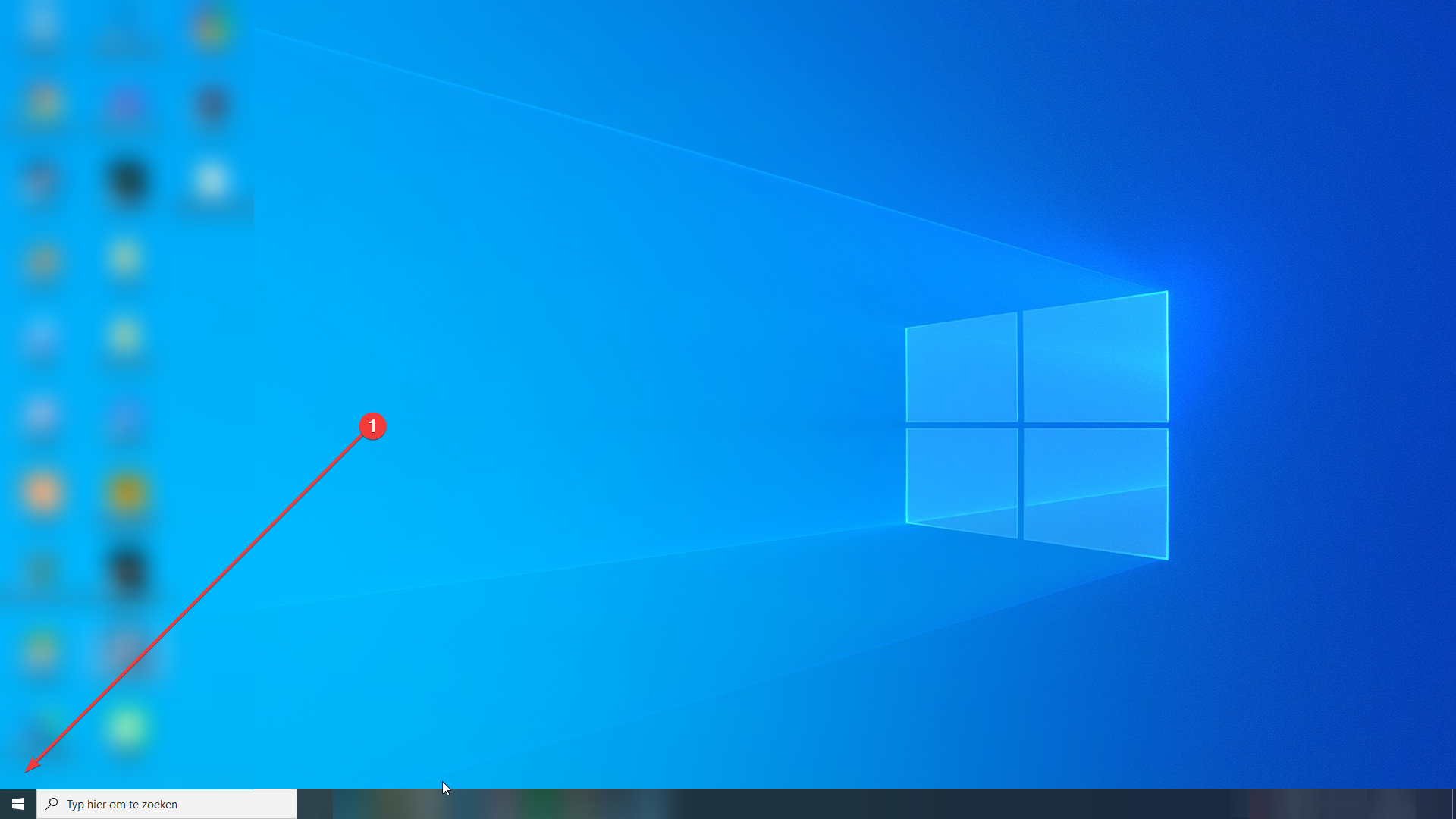
- Click the Windows logo.
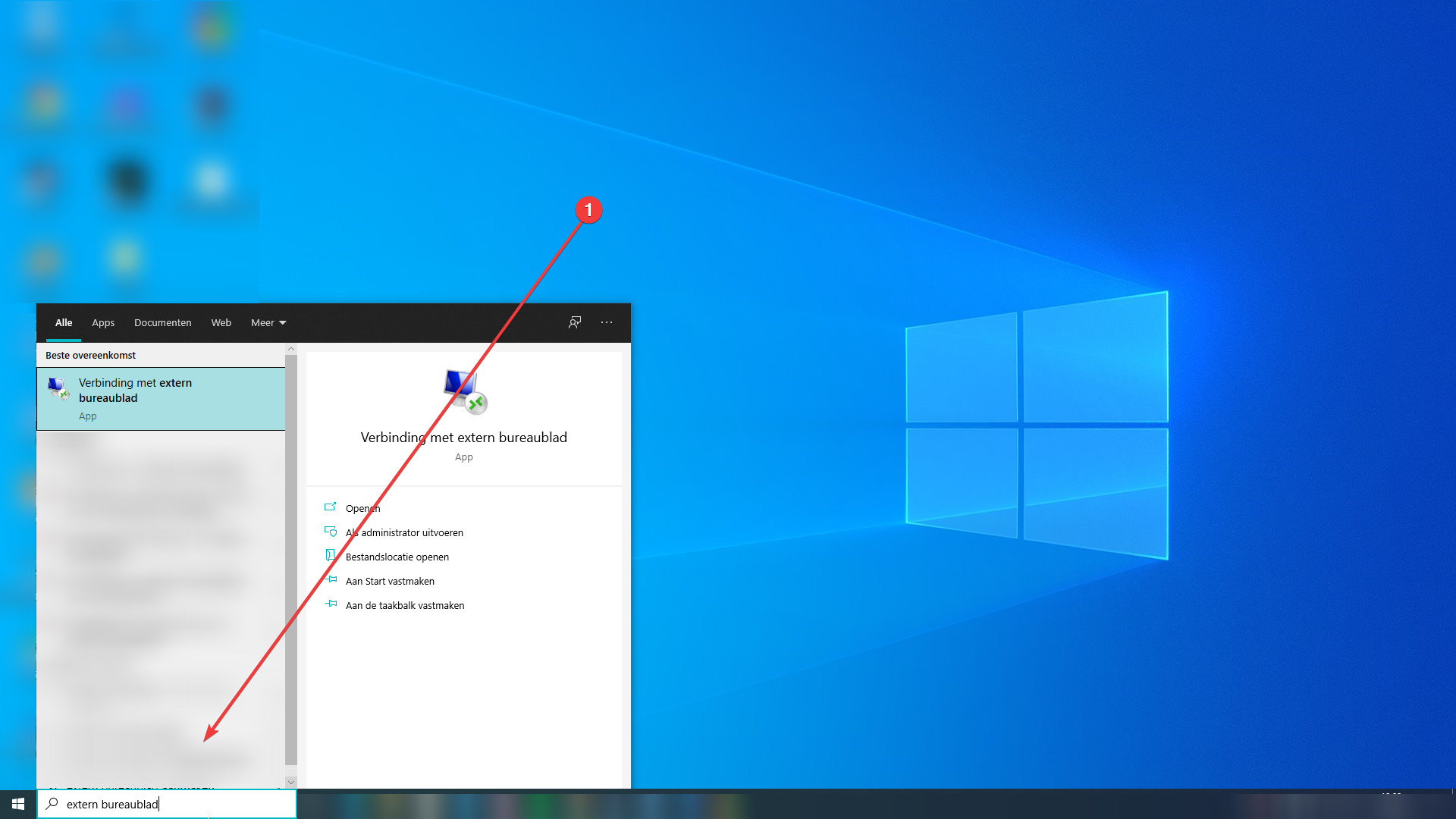
- Type "remote desktop" in the search bar.
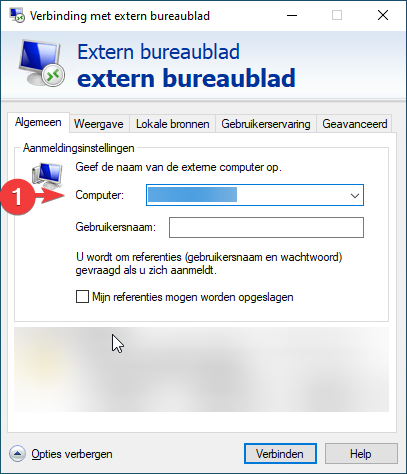
- Enter the IP of your KVM VPS or your GTAV Online IP where the arrow points.
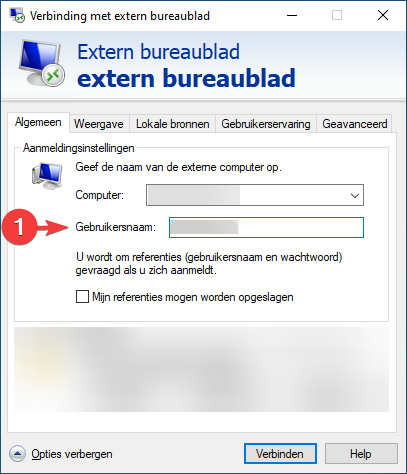
- Enter your username where the arrow points.
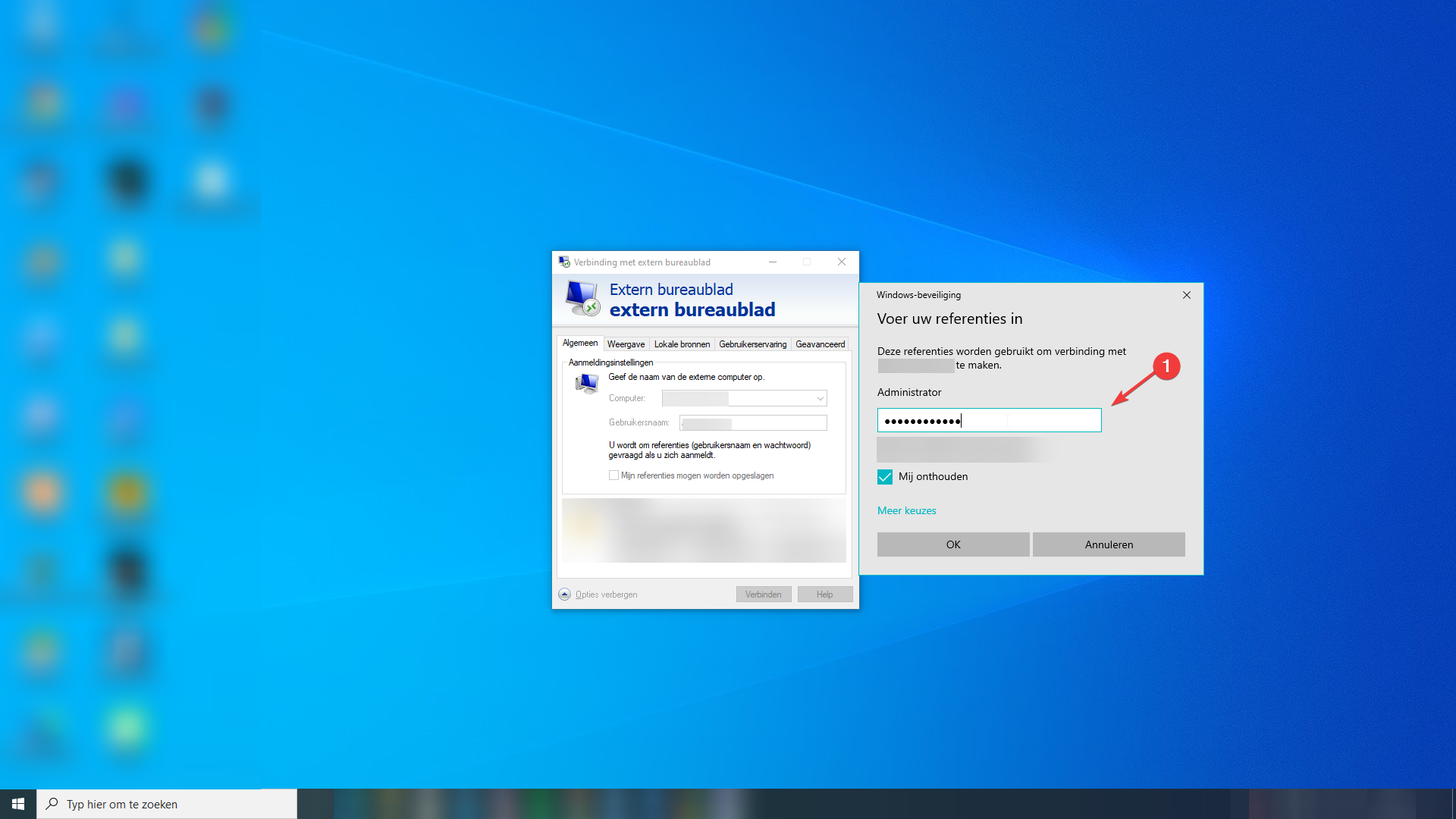
- A window opens asking for your password. Enter your password there.
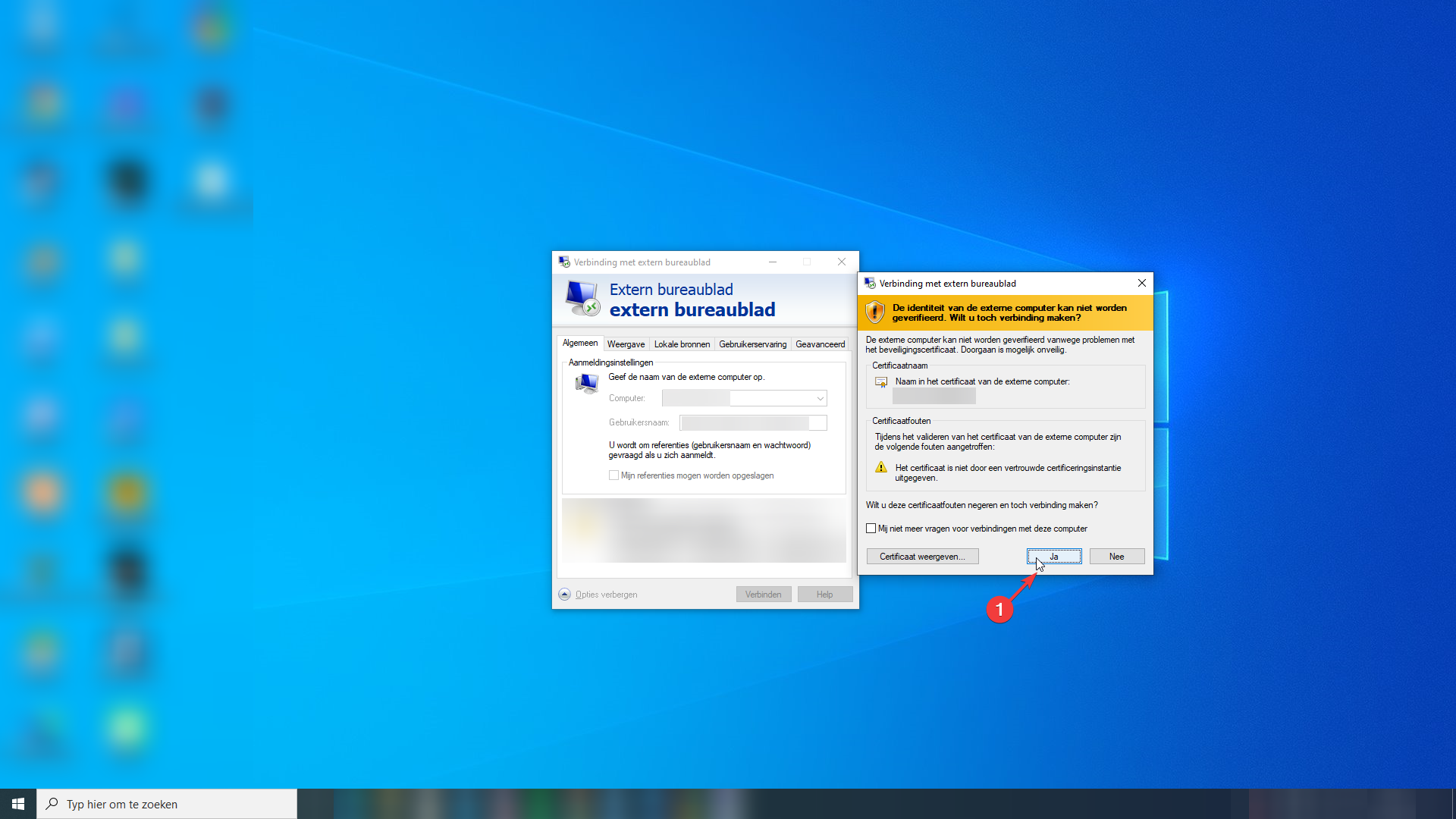
- A window appears saying the server cannot be verified, asking whether you want to continue anyway. Click "Yes".
- You are now successfully connected.
You can find all your credentials under your product information at https://mc-node.net/.
| With this article you should now be able to manage your KVM VPS or GTAV Online server via Remote Desktop. If you still haven't managed to, our team is happy to help: Contact us
Ready to try it yourself?
View packages →Launch your server in 60 seconds on our own hardware.
Stuck? Our team is happy to help.Open a ticket →
More in this category
How do I activate my Windows license?Connect to your VPS via remote desktop, open cmd, run slmgr.vbs -rearm and restart the VPS to activate your Windows liceHow do I change my operating system?Changing the operating system on an OpenVZ VPS: go to the VPS panel, log in with the details from your mailbox, click yoHow do I change my root password?Go to the VPS Panel and log in with the credentials delivered to your mailbox. Click your VPS, click "Root/Admin PassworHow do I change the hostname of my VPS?Change the hostname of your VPS: log in to the VPS panel, select your VPS, click "Hostname", enter a new hostname and cl