What is a vCPU (vCore)? How to compare VPS processors
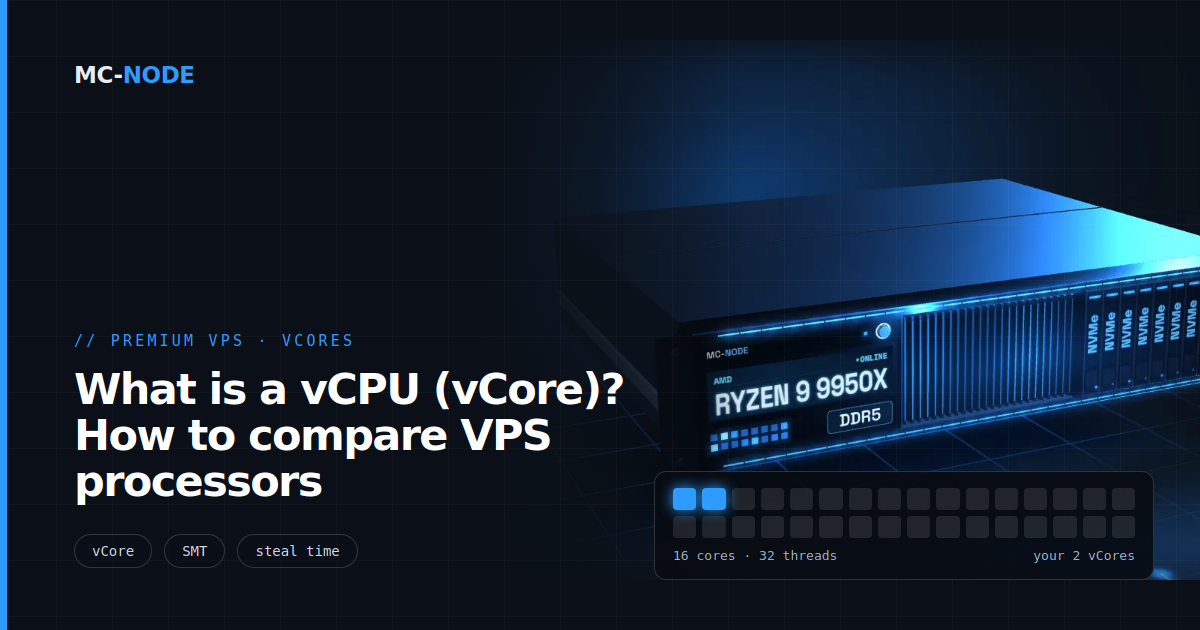
What is a vCPU or vCore? With most providers, a vCore, also called a vCPU, is one thread of a physical processor core that the hypervisor schedules for you, not a full core. How much work such a vCore gets done depends on the processor behind it: two vCores on a Xeon from 2014 are something different from two vCores on a recent Ryzen 9.
What is a vCore? Core, thread and vCPU explained
VPS offers mix up four terms. This is how they relate:
- Core: a physical processing unit on the processor. A server processor these days often has 16 or more.
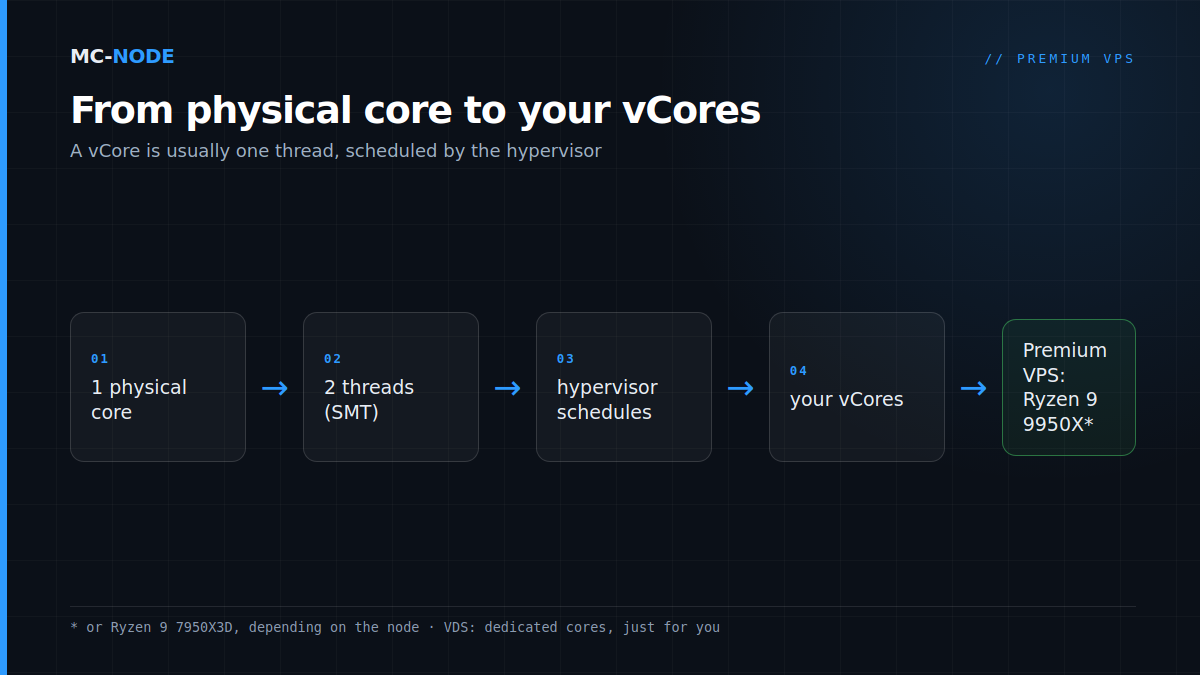
- Thread: with SMT (simultaneous multithreading, called Hyper-Threading at Intel), one core runs two threads at the same time. A processor with 16 cores then has 32 threads. The two threads of a core do share that core's execution units and cache.
- vCPU or vCore: a virtual processor that the hypervisor gives to your VPS. They're two names for the same thing. With most providers, one vCore stands for one thread.
- Logical processor: that's what Windows calls every thread or vCore it sees; Linux talks about CPUs. A VPS with 4 vCores sees 4 processors.
So in vCore vs core, the vCore is usually the smaller unit. Two threads on one core together deliver more than one thread, but not double, because they share the same core. That's why "2 vCores" doesn't mean "2 full cores".
Why ‘2 vCores’ isn't the same everywhere
Two offers with "2 vCores" can be far apart. What a vCore does per second depends on the processor: how high it clocks and how much work the architecture does per clock cycle. You can see that clearly in our own entry-level plans:
| Line | Processor | Max. clock | Memory | 2 vCores from |
|---|---|---|---|---|
| Budget VPS | Intel Xeon E5-2699 v3 | up to 3.6 GHz | DDR4 | €2.00 per month (1 GB) |
| KVM VPS | AMD EPYC 7443P | up to 4.0 GHz | DDR4 | €3.40 per month (2 GB) |
| Premium VPS | AMD Ryzen 9 9950X* | up to 5.7 GHz | DDR5 | €5.00 per month (2 GB) |
All three have 2 vCores, but there's almost ten years of processor development between the Xeon from 2014 and the Ryzen 9. The max clock is a peak value, though: according to AMD, the frequency a single core reaches during short, single-threaded work. Under full load it's lower, on every processor.
When you compare VPS offers, look at four things:
- The processor model. If it isn't listed, you don't really know what you're buying.
- The generation. A newer architecture usually does more per clock cycle.
- Shared or dedicated. Shared vCores are cheaper, dedicated cores are always available just for you.
- The memory that comes with it. RAM often runs out before computing power does.
* or AMD Ryzen 9 7950X3D, depending on the node.
Shared or dedicated: what shared vCores mean
With a VPS, you share the physical cores with other VPSs on the same node. The hypervisor schedules the vCores of all VPSs on the available threads. As long as there's room, you won't notice a thing. If many VPSs want full computing power at the same time, your vCore sometimes has to wait a moment.
That waiting time is called steal time. You see it in top as the st value in the %Cpu(s) line; the top manual describes it as "time stolen from this vm by the hypervisor". A few percent now and then is normal on shared hardware. If it stays high while your own load stays the same, you're noticeably competing for CPU time.
With a VDS, that's different: there the cores are assigned to you permanently. That costs more, the VDS with dedicated cores starts at €28.00 per month for 2 dedicated cores and 8 GB, but your computing power then doesn't depend on others. The difference is explained in VDS versus VPS: what does dedicated really mean?, and when switching pays off in From VPS to VDS: when is it time to make the switch?
How many vCores do you need?
More vCores only help if your software can use them. Our advice, together with the memory recommendations from our store pages:
- Website, Discord bot, VPN or monitoring: 2 vCores is plenty, because this kind of software mostly waits. The smallest plan in every line has 2, and the Budget VPS from €2.00 is often enough here.
- One Minecraft server: the world tick runs on one main thread, so speed per core beats the number of cores. 2 vCores works for a small server, 4 vCores gives room for loading chunks, garbage collection and plugins. Memory: from 4 GB, with mods from 8 GB.
- FiveM: up to 64 slots 8 to 16 GB. Take 4 vCores if a database runs on the same VPS too.
- Multiple servers on one VPS: count roughly one fast vCore per heavy server for the main loop, plus a bit for the system, and add up the memory. 6 vCores with 16 GB on the Premium VPS (€28.00 per month) is then a logical starting point.
- Windows Server: Windows itself uses more than a bare Linux install. Count on at least 4 GB and preferably 4 vCores. Windows works on the KVM VPS, the Premium VPS and the VDS, not on the Budget VPS; a licence isn't included.
For anything where the speed of one core is the limit, choose the Premium VPS with Ryzen 9. Not sure which line fits your project? Read Which VPS should you choose?
How to check what you get
After ordering, you can check in a minute what your VPS sees. Log in via SSH (see How do I connect to my VPS via SSH?) and run:
nproc
lscpu | grep -E "^CPU\(s\)|Thread\(s\) per core|Model name"
topnprocshows the number of processors your VPS can use. That should match your number of vCores.lscpushows the number of CPUs and often the model. According to the lscpu manual, the cores per socket can differ on virtual hardware; so count byCPU(s), not by the topology.- In
top, press 1 to see each vCore separately, with the steal time per line underst.
On Windows Server, open Task Manager, Performance tab, CPU section. It shows how many (virtual) processors Windows sees.
When more vCores won't help
The classic misconception: the server lags, so it needs more vCores. Check htop first. If one vCore sits at 100 % while the others do little, your server is waiting on the speed of one core. More vCores won't change that, a faster core will. Why it works like that is explained in Ryzen vs EPYC for game servers.
If all vCores are maxed out, you do need more. Within a line, you upgrade to a bigger plan in the client area and pay the difference for the rest of your billing period. Want to move to a different line, for example from the KVM VPS to the Premium VPS? Contact us beforehand and expect to move your server.
If the memory is full or the steal time is high, the cause lies somewhere else and extra vCores won't help either. How to figure that out is covered in Slow VPS or server lag? Find the bottleneck in 10 minutes.
Frequently asked questions
What is a vCore, and how is it different from a core?
A vCore (or vCPU) is a virtual processor that the hypervisor gives to your VPS. With most providers, one vCore stands for one thread of a physical core, and with SMT one core runs two threads. So a vCore is usually less than a full core.
Is a vCPU the same as a vCore?
Yes. vCPU and vCore are two names for the same virtual processor; which name a provider uses is a matter of habit. More important than the name is which processor is behind it and whether the vCores are shared or dedicated.
How many vCores do I need for a Minecraft server?
For one server, 2 vCores are enough to start with and 4 vCores are comfortable. The world tick runs on one main thread, so the speed per core counts more than the number of cores. For memory, count on at least 4 GB, 8 GB with mods and 12 GB for large modpacks.
What does steal time mean?
Steal time is the time your vCPU was ready to compute but had to wait because the hypervisor gave the physical processor to something else. You see it in top as the st value. If it stays high all the time, you're competing for CPU time and a VDS with dedicated cores can be the solution.