Which VPS should you choose? Budget, KVM, Premium or VDS
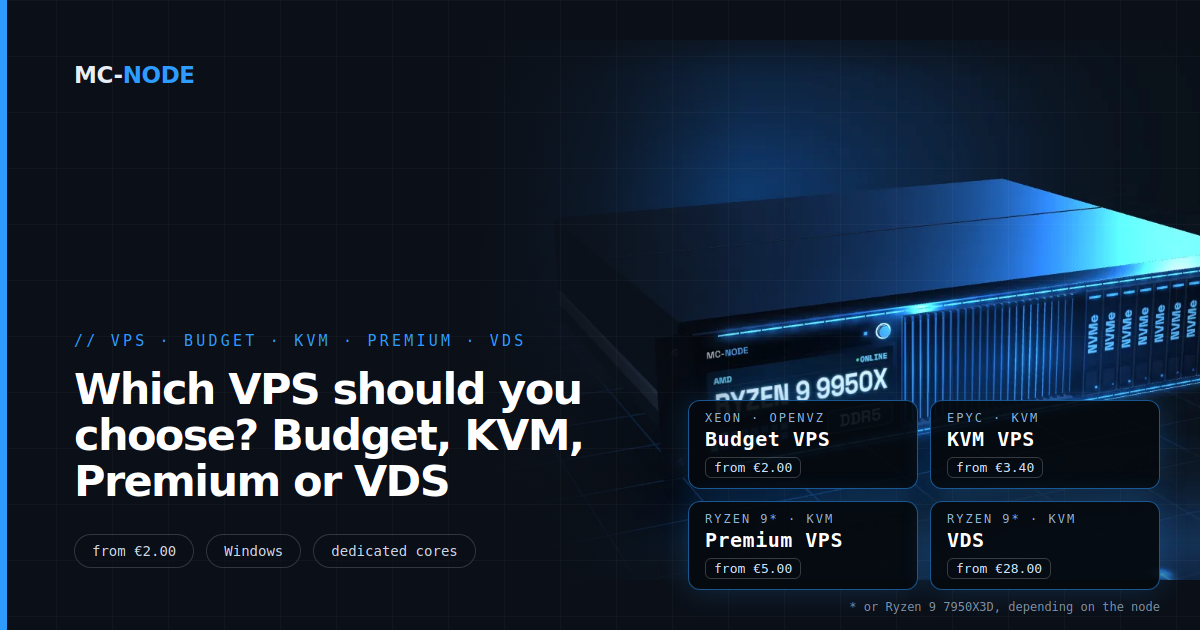
Which VPS should you choose? That comes down to five questions: what you'll run, whether you need Windows, how fast a single core needs to be, whether you need dedicated cores and what it may cost. In short: bots and small sites on the Budget VPS, Windows on the KVM VPS, game servers on the Premium VPS and heavy, constant load on a VDS.
MC-Node has four VPS lines, all on our own hardware in the Previder PDC2 data centre in Hengelo, with NVMe storage and DDoS protection, and you can cancel monthly. The difference is in the processor, the memory, the virtualisation and whether you share cores. Below are the five questions first, then everything side by side once more.
Question 1: what are you going to run?
Start with your project, not with the plan. Roughly speaking, projects fall into four groups:
- Light tasks that mostly wait: a Discord bot, a VPN, monitoring or a small website. They run fine on the Budget VPS from €2.00 per month (2 vCores, 1 GB), or €2.90 with 2 GB. What you get for that is covered in Cheap VPS: what you really get.
- Websites, databases and Windows software: the KVM VPS on an AMD EPYC 7443P, from €3.40.
- Game servers: the Premium VPS, because games lean on speed per core (see question 3).
- Heavy, constant load that keeps running for hours on end: a VDS with dedicated cores (see question 4).
Then the memory. For game servers we use these minimums:
- Minecraft (vanilla, Paper, Spigot): from 4 GB; with mods from 8 GB; large modpacks such as All the Mods, RLCraft or Pixelmon from 12 GB.
- Valheim: from 4 GB, plus 1–2 GB extra from 5 players.
- FiveM up to 64 slots: 8–16 GB.
- Rust and ARK: from 12 GB. Palworld: 12–16 GB.
Running several games? Then add up the memory and leave room for the operating system. How to calculate that is explained in multiple game servers on one VPS.
Question 2: do you need Windows?
This question rules out one line straight away:
- Budget VPS: no. It runs on OpenVZ, where your VPS shares the host's kernel, and only Linux runs on that.
- KVM VPS and VDS: yes. At checkout you choose from Ubuntu 22.04, Windows Server 2022 (Optimized + optional FiveM installation) or Ubuntu 22.04 with Pterodactyl.
- Premium VPS: yes, but you don't choose the operating system at checkout. You install Windows yourself afterwards in the VPS panel.
A Windows licence isn't included: without your own key, Windows Server runs as a 180-day evaluation version. Count on at least 4 GB of memory. Everything about the licence and RDP is in our explainer on Windows on a VPS; you'll find the plans under Windows VPS hosting.
Question 3: how important is speed per core?
For game servers, this is the most important question. Minecraft, Valheim, Rust and FiveM do most of their work in one main thread. Whether that thread finishes its work in time depends on how fast a single core is, not on how many cores you have. That's where the lines differ most:
- Budget VPS: Intel Xeon E5-2699 v3 (from 2014), up to 3.6 GHz, DDR4.
- KVM VPS: AMD EPYC 7443P, up to 4.0 GHz, DDR4.
- Premium VPS: AMD Ryzen 9 9950X*, up to 5.7 GHz, DDR5.
That top speed is the max boost of a single core, not the clock of every vCore under full load; the newer architecture and the DDR5 memory count too. For the same plan of 4 vCores and 8 GB you pay €7.20 (Budget VPS), €9.50 (KVM VPS) or €15.30 (Premium VPS). For a website, that faster core makes little difference; for a busy game server, it really does. The background is in Ryzen vs EPYC for game servers and What is a vCPU (vCore)?; you order at the Premium VPS with Ryzen 9.
* or AMD Ryzen 9 7950X3D, depending on the node.
Question 4: do the cores always need to be free for you?
With a VPS, you share the physical cores with other VPSs on the same server: the hypervisor schedules your vCores at the moment they have work. Usually you won't notice, because most servers spend most of their time waiting. If many VPSs start computing at once, you'll see the st value (steal time) rise in top: time your vCore wanted to compute but didn't get a physical core.
With a VDS with dedicated cores, the cores are reserved for you, even at the busiest moment. The VDS also runs on an AMD Ryzen 9 9950X* with DDR5, and starts at €28.00 per month for 2 dedicated cores and 8 GB. A VDS pays off if your server computes heavily for hours, if you see steal time that really gets in your way, or if you need predictable performance for a business or a large community. For most game servers, the Premium VPS is enough. More on that in From VPS to VDS; how to measure steal time is explained in Slow VPS or server lag?
Question 5: what may it cost and what's included?
The entry prices per month, including VAT: Budget VPS €2.00, KVM VPS €3.40, Premium VPS €5.00 and VDS €28.00. Everything can be cancelled monthly. Every line includes:
- DDoS protection, always on and at no extra cost;
- NVMe storage;
- root access, or Administrator with Windows: you manage updates and security yourself, and our support is happy to think along;
- automatic setup after payment.
If your project grows, you upgrade to a bigger plan within your line in the client area and pay the difference for the rest of your billing period. Switching to another line, such as from KVM to Premium, isn't a one-click job: expect a new VPS and a move. So rather choose the line that fits your project straight away, and start small within that line.
Count your own time as well. A VPS is your system: set up backups of your important data in another place and set aside half an hour to lock it down properly, as in Secure your VPS: the first 30 minutes.
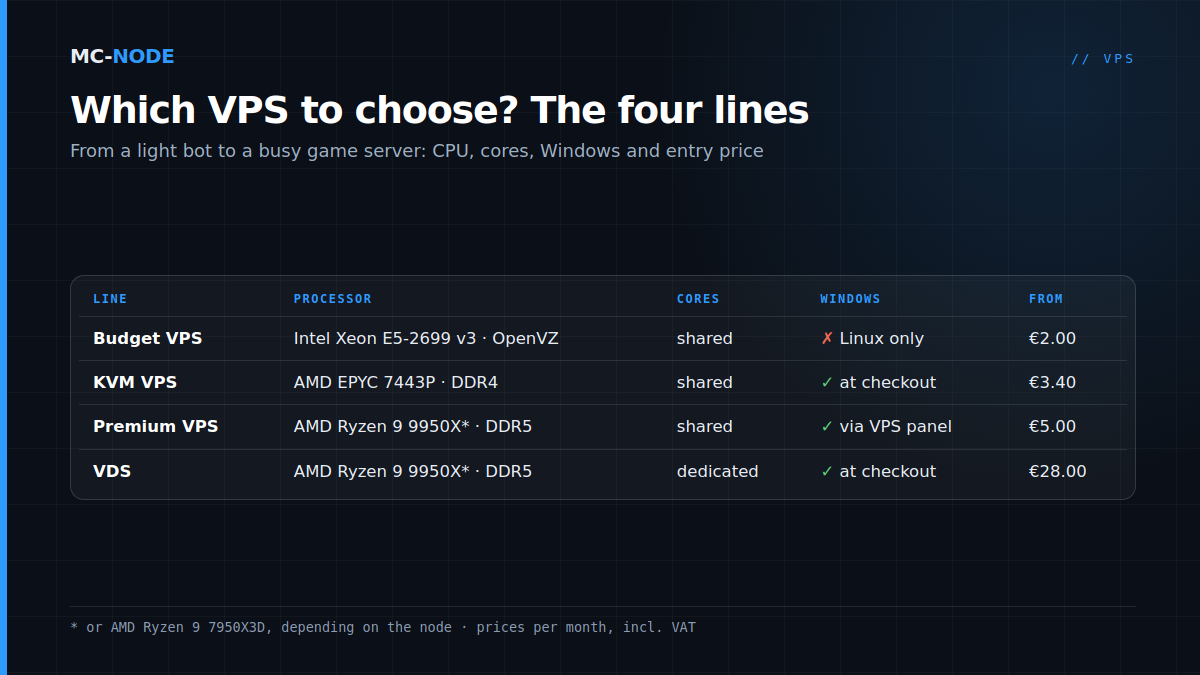
Which VPS to choose: the four lines at a glance
| Budget VPS | KVM VPS | Premium VPS | VDS | |
|---|---|---|---|---|
| Processor | Intel Xeon E5-2699 v3 | AMD EPYC 7443P | AMD Ryzen 9 9950X* | AMD Ryzen 9 9950X* |
| Max. clock (1 core) | up to 3.6 GHz | up to 4.0 GHz | up to 5.7 GHz | up to 5.7 GHz |
| Memory | DDR4 | DDR4 | DDR5 | DDR5 |
| Virtualisation | OpenVZ | KVM | KVM | KVM, dedicated cores |
| Windows | no | yes, at checkout | yes, via the VPS panel | yes, at checkout |
| Entry level | €2.00 (2 vCores, 1 GB) | €3.40 (2 vCores, 2 GB) | €5.00 (2 vCores, 2 GB) | €28.00 (2 dedicated cores, 8 GB) |
| 4 vCores, 8 GB | €7.20 | €9.50 | €15.30 | n/a |
| Largest plan | 8 vCores, 32 GB: €25.70 | 8 vCores, 32 GB: €31.50 | 12 vCores, 48 GB: €78.00 | 16 dedicated cores, 64 GB: €224.00 |
| Good for | bots, VPN, small sites | Windows, websites, databases | game servers | heavy, constant load |
* or AMD Ryzen 9 7950X3D, depending on the node. Prices per month, including VAT.
When you don't need a VPS
A VPS is a bare machine that you set up yourself. That isn't always the smartest choice:
- You want one game server and mainly want to play. A ready-made game server has a panel, the game is on it right away and you don't have to maintain an operating system. See VPS or game server: what do you actually need?
- You only want a WordPress site. Then web hosting is simpler; see Web hosting or VPS.
- You're outgrowing the largest VDS. Then a machine of your own makes more sense; see Dedicated server hosting.
Not quite sure yet what a VPS is? Then start with What is a VPS and when do you need one?
Frequently asked questions
Which VPS should I choose?
Choose based on what you run. A bot, VPN or small website fits on the Budget VPS from €2.00, Windows and websites on the KVM VPS from €3.40, a game server on the Premium VPS from €5.00 and heavy, constant load on a VDS with dedicated cores from €28.00 per month.
What's the difference between a VPS and a VDS?
With a VPS, you share the physical cores with other VPSs; the hypervisor schedules your vCores when they have work. With a VDS, the cores are permanently assigned to you, even when it's busy. A VDS costs more per core, but performance is more predictable.
Which VPS is best for a game server?
Usually the Premium VPS, because game servers lean on the speed of a single core and that line has the fastest cores and DDR5 memory. Take at least the memory your game needs, for example 4 GB for Minecraft with Paper or 12 GB for Rust. If your server computes heavily for hours, consider a VDS with dedicated cores.
Which VPS has Windows?
The KVM VPS and the VDS, where you choose Windows Server 2022 at checkout, and the Premium VPS, where you install Windows yourself in the VPS panel after ordering. The Budget VPS runs on OpenVZ and only supports Linux. A Windows licence isn't included.
Can I move to a bigger plan later?
Yes. Within your line, you upgrade to a bigger plan in the client area and pay the difference for the rest of your billing period. Switching to another line isn't a one-click job: expect a new VPS and moving your data.