Ryzen vs EPYC for game servers: why clock speed wins
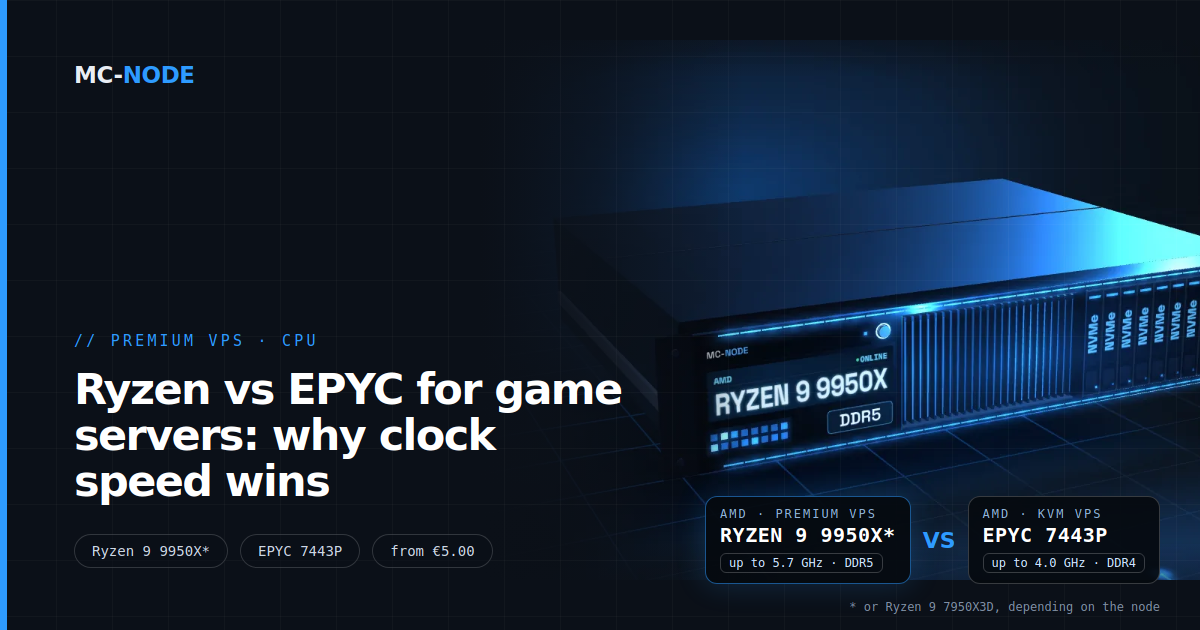
Ryzen or EPYC for your game server? Usually the Ryzen wins. The AMD Ryzen 9 9950X* in our Premium VPS reaches up to 5.7 GHz on Zen 5, the EPYC 7443P in our KVM VPS up to 4.0 GHz on Zen 3. A game server calculates its world largely on one core, so that speed counts the most. EPYC wins when there are many light tasks at once.
* or AMD Ryzen 9 7950X3D, depending on the node.
Why a game server leans on one core
A game server works in fixed rounds. In each round, a tick, it processes what players did, moves mobs and vehicles and moves the world one step forward. Minecraft does this 20 times per second, so each tick may take at most 50 milliseconds. If it takes longer, the TPS drops and players feel lag. How those numbers work is explained in TPS, MSPT and lag: what the numbers really mean.
That tick runs largely on one thread. The makers of Paper describe their own server as single-threaded: the whole world is calculated in one main loop. Unity, the engine behind Valheim and Rust among others, runs game code on one main thread by default. And the FiveM server prints a "server thread hitch warning" in the console as soon as its server thread finishes a round too late.
That doesn't make extra cores useless. They pick up the work alongside the main loop: loading and generating chunks, network traffic, Java's garbage collector, a database or a second server. But the main loop itself doesn't get faster with more cores. It gets faster with a faster core. That's what people mean by single-core performance: how much work one core gets done per second. It depends on two things: the clock speed, and how much work the architecture does per clock cycle. A newer architecture usually does more per cycle, even at the same clock. When you choose a CPU for a game server, look at that per-core speed first and only then at the number of cores.
Ryzen vs EPYC: the specs side by side
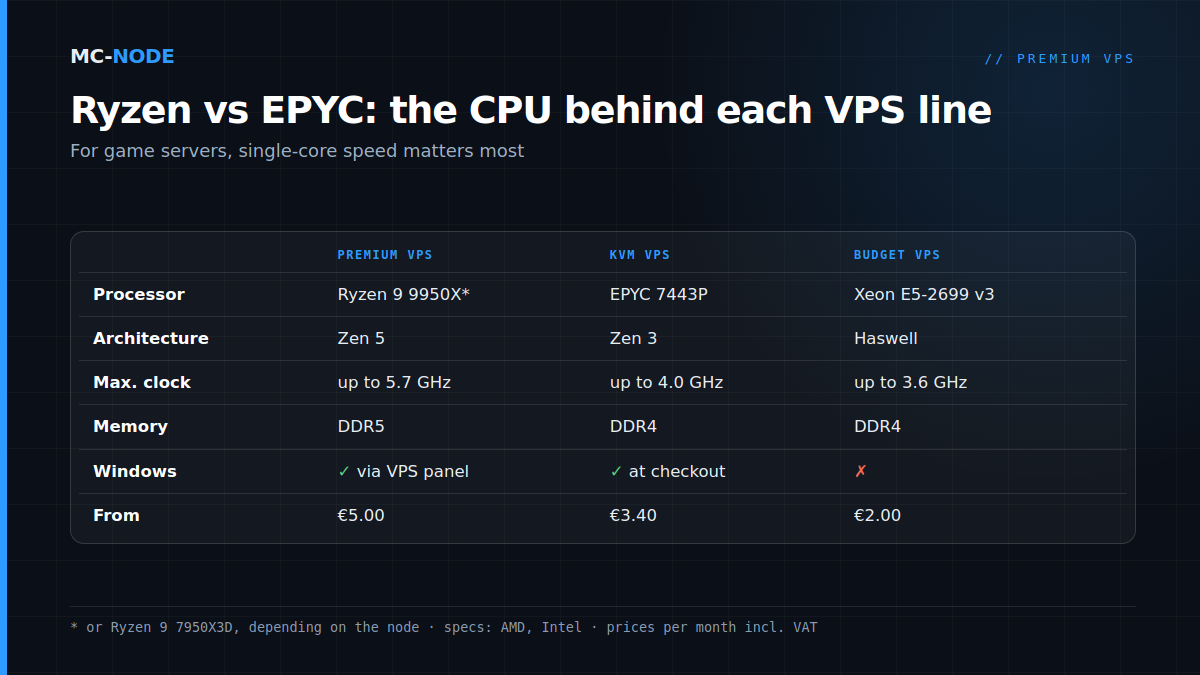
These are the processors behind our three VPS lines with shared vCores, according to the product pages of AMD and Intel:
| Ryzen 9 9950X* (Premium VPS) | EPYC 7443P (KVM VPS) | Xeon E5-2699 v3 (Budget VPS) | |
|---|---|---|---|
| Architecture | Zen 5 | Zen 3 | Haswell |
| Released | 2024 | 2021 | 2014 |
| Cores / threads | 16 / 32 | 24 / 48 | 18 / 36 |
| Base clock | 4.3 GHz | 2.85 GHz | 2.3 GHz |
| Max. boost | up to 5.7 GHz | up to 4.0 GHz | up to 3.6 GHz |
| L3 cache | 64 MB | 128 MB | 45 MB |
| Memory | DDR5 | DDR4, 8 channels | DDR4, 4 channels |
Two things stand out. The EPYC has more cores, lots of cache and eight memory channels: it's built to do a lot of work at once. The Ryzen has a much higher clock, an architecture two generations newer and DDR5 memory: it's built to be fast per core. For a game server, that second point matters most.
One caveat about that 5.7 GHz. AMD describes the max boost as the highest frequency a single core reaches during short, single-threaded work. If all cores of a server are working hard at the same time, the clock is lower. That applies to every processor in the table, so the difference remains, but don't count on 5.7 GHz on every vCore at once.
When EPYC is the smart choice
A fast core isn't always what you're waiting for. The KVM VPS (also called Normal VPS in the store) with the EPYC 7443P is the better buy if your workload mostly consists of many small tasks at once:
- Websites and web apps with many simultaneous visitors. Each request is short; handling many requests side by side matters more than making each request a fraction faster.
- Databases with many connections, Discord bots, APIs and other processes that mostly wait.
- Windows straight at checkout. With the KVM VPS you choose Windows Server 2022, with an optional FiveM installation, as the operating system right away. Windows also works on the Premium VPS, but there you install it yourself through the VPS panel. A Windows licence isn't included.
- More memory per euro. 4 vCores and 8 GB cost €9.50 per month on the KVM VPS, versus €15.30 on the Premium VPS. For 4 vCores and 16 GB you pay €17.10 on the KVM VPS.
A small vanilla Minecraft server for a few friends also runs fine on a KVM VPS on EPYC with 4 GB, for €5.30 per month. You only notice the difference with a Ryzen once the tick gets tight: lots of players, lots of entities, mods or heavy plugins.
And the Ryzen 9 7950X3D?
The Premium VPS comes with an asterisk: depending on the node, your VPS runs on a Ryzen 9 9950X or on a Ryzen 9 7950X3D. That one also has 16 cores, 32 threads and a boost of up to 5.7 GHz, but on the older Zen 4 architecture and with 3D V-Cache: 128 MB of L3 cache instead of 64 MB. Plan and price are the same, and compared with an EPYC or Xeon the same advantages apply. What that extra cache does and doesn't do is covered in Ryzen 9 9950X vs 7950X3D: what changes on a server?
What this means for your game VPS
Compare the same amount of vCores and memory. For 4 vCores and 8 GB you pay €7.20 per month on the Budget VPS (Xeon), €9.50 on the KVM VPS (EPYC) and €15.30 on the Premium VPS (Ryzen 9). The difference isn't in the number of vCores or gigabytes, but in what each vCore does per second. A vCore is also usually one thread, not a full core; how that works is explained in What is a vCPU (vCore)?
Start with the memory your game needs, then choose the line:
- Minecraft (vanilla, Paper, Spigot) from 4 GB, with mods from 8 GB, large modpacks such as All the Mods, RLCraft or Pixelmon from 12 GB. With mods or lots of players: Premium.
- FiveM up to 64 slots: 8 to 16 GB. Lots of scripts and OneSync make the work on the server thread heavy: Premium.
- Rust and ARK from 12 GB, Palworld 12 to 16 GB. Heavy worlds with lots of simulation: Premium.
- Valheim from 4 GB, plus 1 to 2 GB extra from 5 players. For a small group, KVM is enough.
Running several games on one VPS? Then add up the memory. For a server where the main loop is the limit, a Premium VPS with Ryzen 9 is the right fit: from €5.00 per month for 2 vCores and 2 GB of DDR5, and €21.75 for 4 vCores and 12 GB. The VPS is located in the Previder data centre in Hengelo, on our own hardware with NVMe storage and DDoS protection, and you can cancel it monthly. How to set up Minecraft on it yourself is covered in Installing a Minecraft server on a VPS.
Within a line, you can later upgrade to a bigger plan in the client area and pay the difference for the rest of your billing period. Want to switch lines, for example from KVM to Premium? Contact us beforehand and expect to move your server.
When a faster CPU won't fix anything
A faster core only helps if the core is the bottleneck. In these cases a different processor won't solve anything:
- One heavy plugin or resource. A script that does too much every tick keeps doing too much. Measure with spark or txAdmin where the time goes; for FiveM, that's covered in Fixing FiveM server lag.
- The memory is full. If your VPS starts swapping or Java keeps pausing for garbage collection, you need more RAM, not a faster CPU.
- Ping and network. Rubber-banding caused by a bad connection or a long distance doesn't go away with more GHz.
- Low FPS for players. That's down to their own PC, not your server.
So first check with htop what your VPS is doing; how that works is explained in How do I check the usage of my VPS? If one core sits at 100 % all the time while the rest do little, a faster core is the answer. If all cores are maxed out, you need more vCores. A step-by-step plan for the other causes is in Slow VPS or server lag? Find the bottleneck in 10 minutes.
Frequently asked questions
Is a Ryzen better than an EPYC for a game server?
For most game servers, yes. A game server calculates its world largely on one main thread, and a Ryzen 9 9950X or 7950X3D reaches up to 5.7 GHz compared with up to 4.0 GHz for an EPYC 7443P. An EPYC is stronger at many light tasks at once, such as websites and databases with many connections.
What's the difference between the Premium VPS and the KVM VPS?
The Premium VPS runs on an AMD Ryzen 9 9950X or 7950X3D, depending on the node, with DDR5 memory, from €5.00 per month. The KVM VPS runs on an AMD EPYC 7443P with DDR4 and starts at €3.40. Both use KVM, NVMe storage and DDoS protection; with the KVM VPS you can choose Windows Server 2022 right at checkout.
Does a Minecraft server need a lot of cores?
No. The world tick of Minecraft and Paper runs largely on one main thread, so a fast core matters more than many cores. Extra cores help with generating chunks, garbage collection and plugins that work outside the main loop. For one server, 2 to 4 vCores are usually enough; choose the memory based on your mods and players.
Will I notice the difference between 4.0 and 5.7 GHz?
Only if the core is the bottleneck. If your MSPT stays well below 50 milliseconds, players notice little difference. If the tick gets tight because of lots of players, entities or mods, a faster core gives your server more headroom. Note: 5.7 GHz is the max boost of a single core, not the clock of every core under full load.